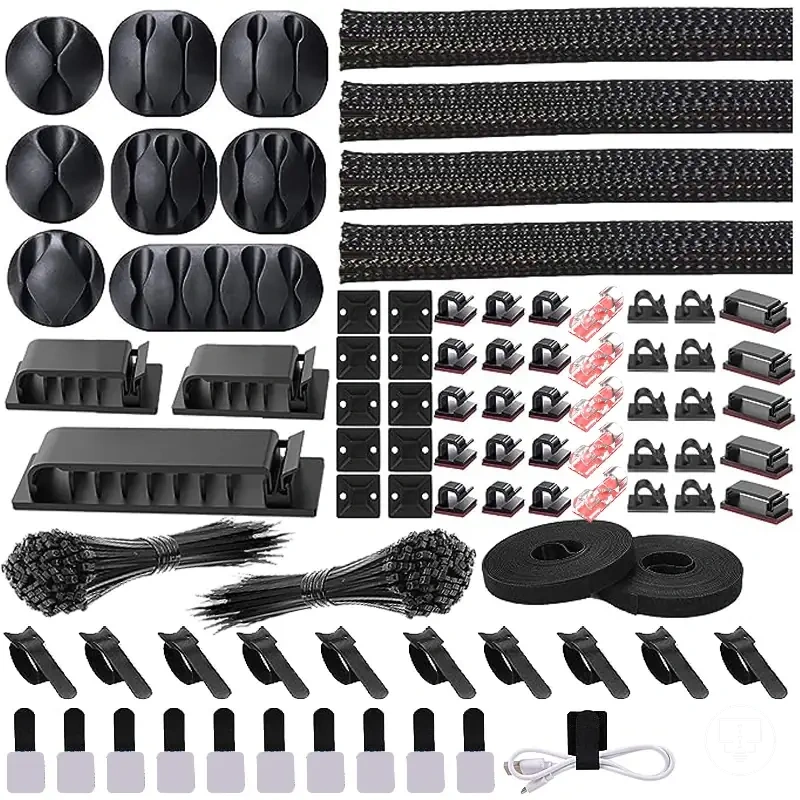
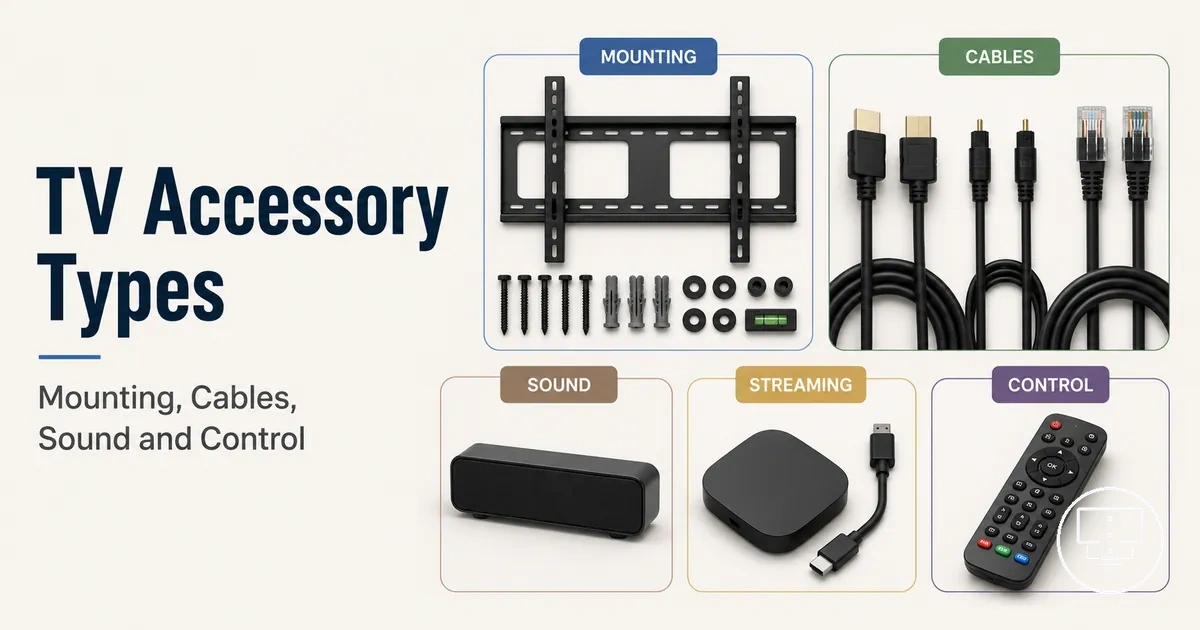
TV setup accessory types and setup roles
TV setup accessory types and setup roles refer to supporting items organized by the function they perform in a television environment rather than by physical design. These include items that help a TV connect to external devices, stay properly positioned, manage cables, extend sound or streaming capabilities, and support control functions. Each category reflects a specific setup role that works around the TV system rather than the TV itself. In this structure, TV setup accessories are understood as role-based support items that define how the setup operates as a whole.
In everyday viewing environments, different needs create different combinations of support functions, and this is where grouping TV setup accessories by setup role becomes useful. Connection-focused items support signal flow between devices, mounting relates to placement and stability, cable management helps organize visible wiring, while sound, streaming, power, and remote control roles extend usability. These groupings clarify how accessory types interact within a complete setup without merging unrelated functions.
Understanding TV setup accessory types is important because each setup role affects a different part of the system, from connectivity and placement to control and media use. The impact of each accessory type depends on conditions such as TV ports, connected devices, and room layout, which can change how the setup functions in practice. This separation of roles helps structure decisions before focusing on specific accessory categories.
In many setups, the required combination of TV setup accessories depends on the TV model, available connections, room arrangement, and the number of external devices involved. These conditions influence which setup roles become more relevant and how different accessory types interact within the same system.
What counts as a TV setup accessory
A TV setup accessory is a supporting item used to connect, position, organize, power, control, or extend a TV setup. It exists to improve how a television interacts with devices and its environment through connection, placement, cable organization, sound, streaming, power, or control functions. These items work around the TV setup rather than forming part of the television itself.
What counts as a TV setup accessory depends on whether the item performs a supporting role in the TV setup rather than acting as the main display device. What follows helps clarify how these accessory roles appear around a typical setup. 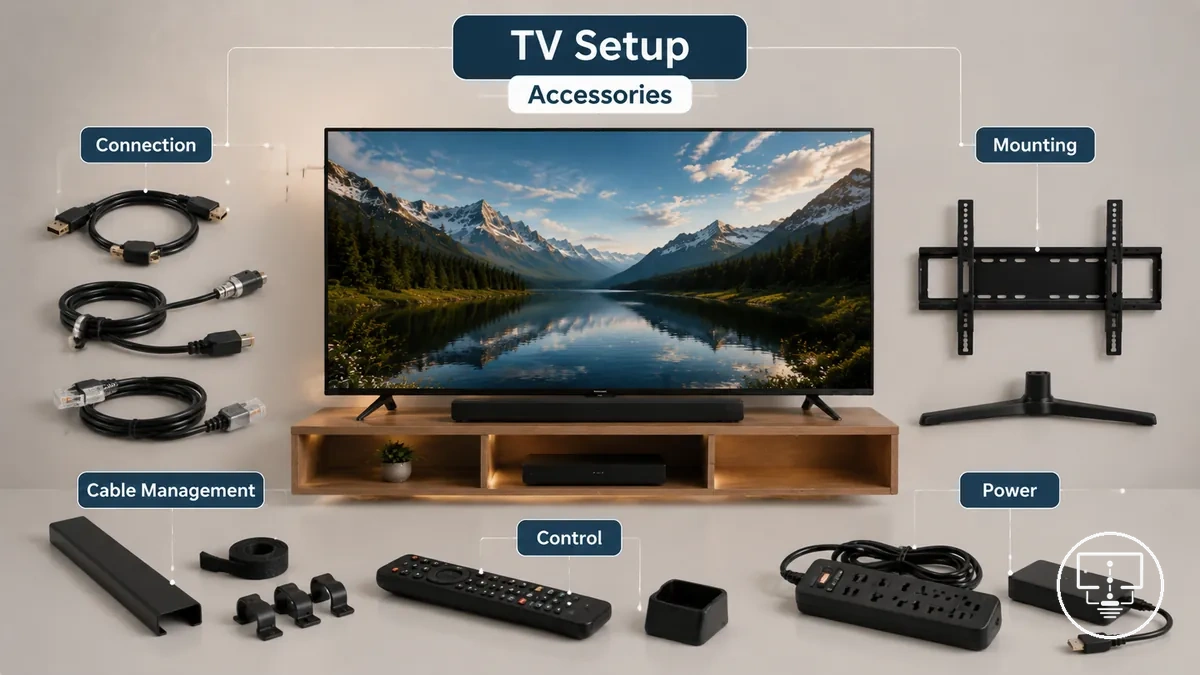 In practical use, this includes items that connect devices through cables and ports, help position the TV using mounts or stands, organize visible wiring through cable management, and extend functions such as sound, streaming, power handling, or remote control support.
Items are considered TV setup accessories when they remain dependent on the TV setup to deliver their function, especially in connection, placement, or control roles. Devices that act as standalone screens or replacement display units fall outside this category because they replace the TV rather than support it. In some cases, a device may shift between accessory and standalone status depending on whether it is integrated into the setup or used independently.
TV accessories versus TV parts and TV products
TV accessories versus TV parts and TV products refers to the functional separation between supporting items, internal or replacement components, and standalone TV-related devices within a TV setup. TV accessories provide external support for connection, positioning, organization, power, control, or extension, while TV parts relate to internal or replacement components of the television, and TV products operate as independent devices with their own core function. This distinction defines setup relevance and helps clarify how each category contributes differently to the overall system.
Understanding TV accessories versus TV parts and TV products is important because confusion between these categories can affect setup relevance and decision-making. The visual below shows how these roles separate around a typical TV setup. 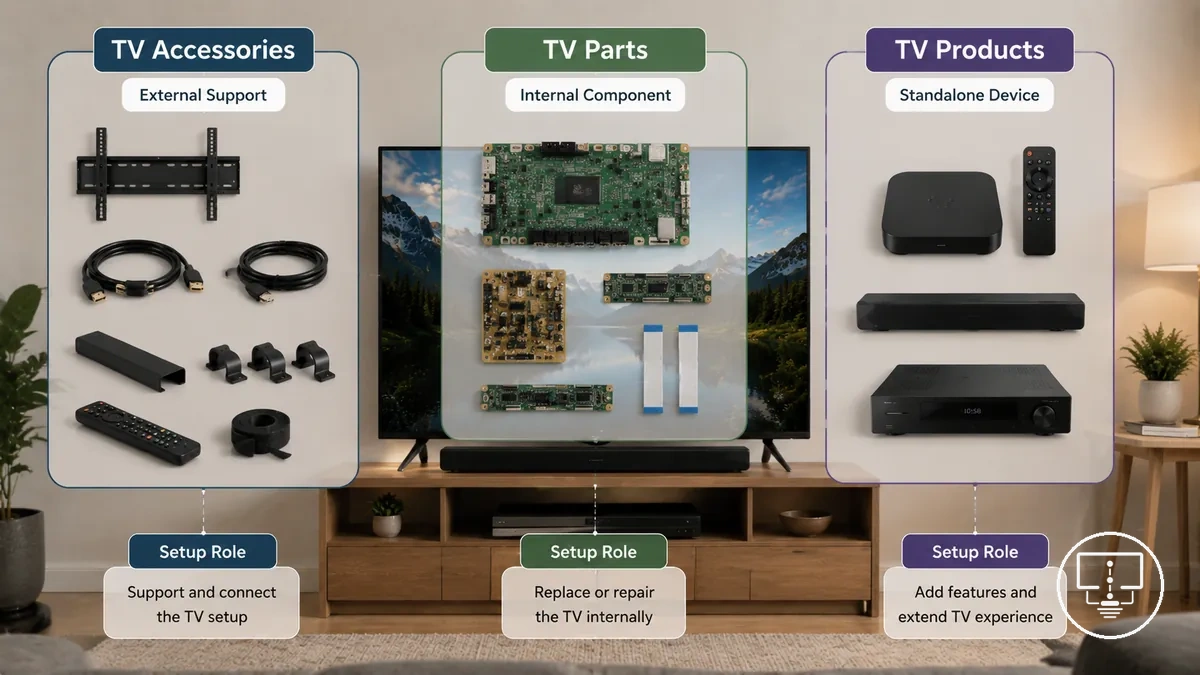 In practical use, accessories remain external support items such as cables or mounts, parts refer to internal or replacement components used for repair or restoration, and products function as standalone or add-on devices that extend the setup through independent operation.
The distinction is not always absolute because some add-on devices may function as accessories in one setup and as standalone products in another depending on use context. However, the key boundary remains whether the item supports the TV setup, restores the TV through replacement, or operates independently as its own device.
| Item type | Main function | Setup relevance |
|---|---|---|
| TV accessories | Support connection, positioning, organization, power, control, or extension of TV setup | External support role within the TV setup |
| TV parts | Replace or restore internal components of the television | Internal repair or restoration relevance |
| TV products | Operate as standalone or add-on devices with independent function | Separate device that may integrate with the setup |
Connection accessories for signals, ports, and devices
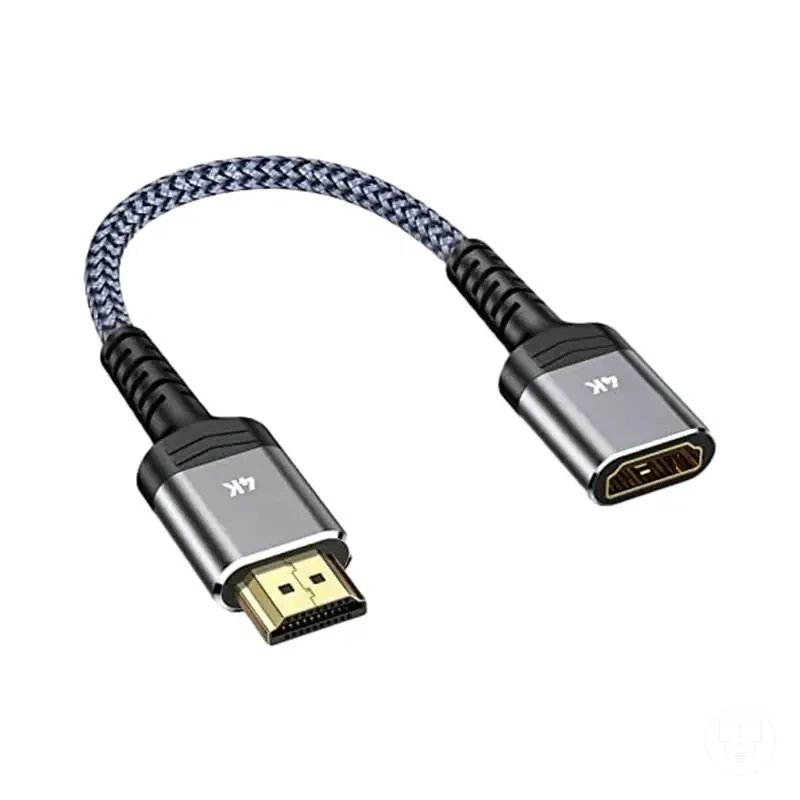
Connection accessories for signals, ports, and devices refer to supporting components that enable signals and data to move between a TV, external devices, and external sources such as networks, antennas, or audio equipment. These connection accessories include cables, adapters, connectors, and splitters that sit between ports and devices to maintain signal flow. Their core function is to connect signals across ports and devices so picture, sound, network access, or device communication can occur within a TV setup.
Connection accessories depend on signal type, port type, device position, and cable route because these conditions determine how connections are structured in a setup. The image below illustrates how signals, ports, and devices interact through connection accessories in a typical configuration. 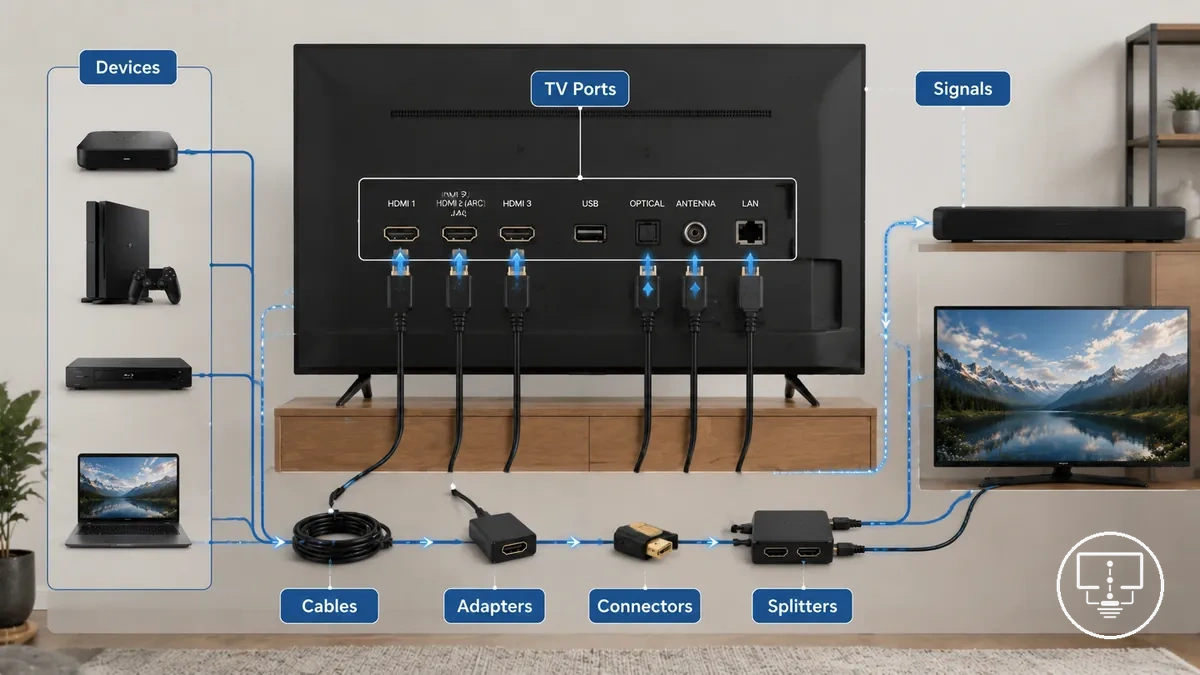
From an EAV perspective, connection accessories work as structured links between a connection item and a port or signal attribute. A cable, adapter, connector, or splitter acts as the connection item, while the port type or signal type defines the required attribute for interaction. The compatibility condition depends on how devices exchange signals, and the resulting effect may influence picture delivery, sound transmission, network access, or device connection stability. These relationships vary depending on how devices are arranged and how signals are routed through the system.
Connection accessories such as cables, adapters, connectors, and splitters support different signal paths between devices and ports. cables and connection accessories form the main layer that links external devices to the TV system. The table below shows how different connection items relate to ports, signals, and setup effects based on their role in the connection chain.
| Connection item | Port or signal attribute | Condition to check | Setup effect |
|---|---|---|---|
| Cables | Signal type and port alignment | Device port match and cable route | Transfers audio, video, or data signals |
| Adapters | Port conversion requirement | Different port types between devices | Enables cross-port connectivity |
| Connectors | Physical port fit | Stable connection alignment | Maintains signal continuity |
| Splitters | Single signal distribution | One source to multiple outputs | Distributes signal across devices |
| Antenna connections | Broadcast signal input | Signal reception setup and position | Enables TV signal reception |
| Network accessories | Data signal routing | Network availability and device support | Enables internet connectivity |
Cables, connectors, adapters, and splitters
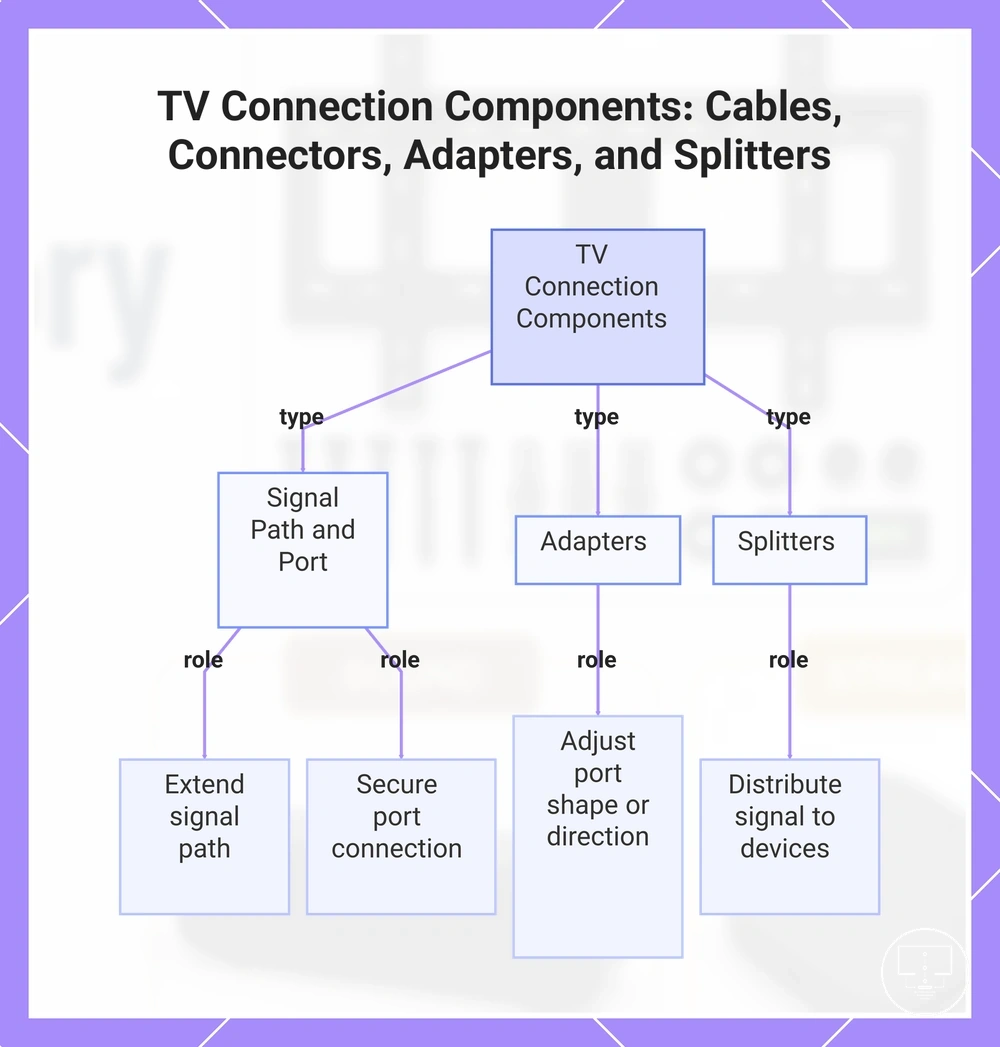
Cables, connectors, adapters, and splitters are connection pieces that distinguish how signals are routed, matched, and distributed between ports and devices in a TV setup. Cables extend the signal path, connectors secure the cable end to the port, adapters adjust port shape or direction for compatibility, and splitters manage signal flow across multiple devices. Each type supports a specific connection role based on port match, cable length, signal path, and device count.
In practical use, these components are chosen based on how devices are positioned and how signals must travel between them. A longer distance between devices may influence cable length selection, while angled setups may require specific connector alignment. When ports do not align, adapters help bridge compatibility gaps, and when one source must serve multiple devices, splitters manage signal distribution. The appropriate choice depends on port match, cable length, signal path, and device count.
- Cables → cable length attribute → used when devices are spaced apart → extend signal path between TV and external device
- Connectors → port match attribute → used when cable ends must align with ports → maintain stable port connection and signal continuity
- Adapters → port shape and direction attribute → used when ports differ in type or orientation → enable compatibility between mismatched devices
- Splitters → device count attribute → used when one signal source feeds multiple devices → distribute signal across outputs
This chart shows the four types of connection components used in TV setups, their core attributes, and how they solve specific signal routing needs.
Antennas and network connection accessories
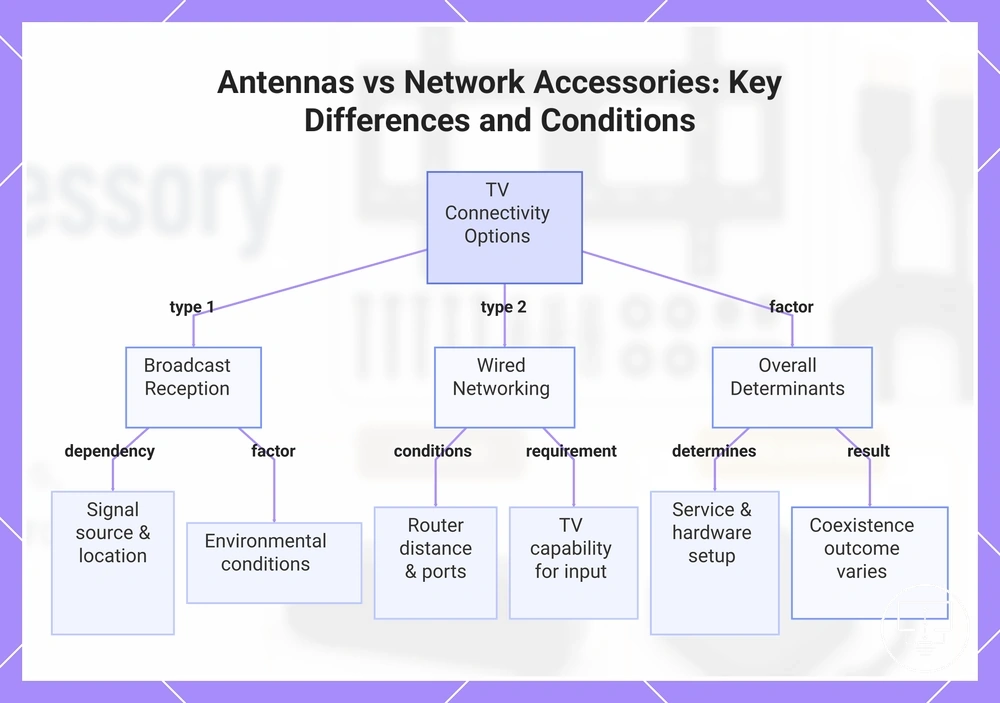
Antennas and network connection accessories separate broadcast reception support from wired networking and connectivity support in a TV setup. Antennas focus on capturing broadcast reception from a signal source, while network connection accessories support wired networking through available ports and devices. Both operate through different connection paths within the TV system and may respond differently depending on setup conditions.
When a TV relies on a broadcast signal source, antennas may depend on location, environmental conditions, and signal availability to receive usable input, while network connection accessories depend on router distance, port availability, and TV capability for wired networking. In some setups, both can be used together, but the outcome varies based on hardware support, service conditions, and how the signal source is accessed. These factors determine whether broadcast reception or network-based connectivity is possible in a given environment.
Condition checklist for antennas and network connection accessories:
- Signal source → determines whether broadcast reception or network access is possible → affects input availability on the TV
- Port availability → defines whether wired network accessories can be connected → affects network connection setup
- Router distance → influences stability of wired networking connection → affects consistency of data access
- TV capability → defines support for broadcast or network input types → affects compatibility with accessories
- Environmental conditions → affect antenna reception conditions → influence signal clarity and stability
- Service and hardware setup → determines overall connection outcome → affects usability of network or broadcast features
This chart compares broadcast reception via antennas with wired networking via network accessories, highlighting the main differences and the conditions that affect each option.
Mounting and placement accessories for TV position
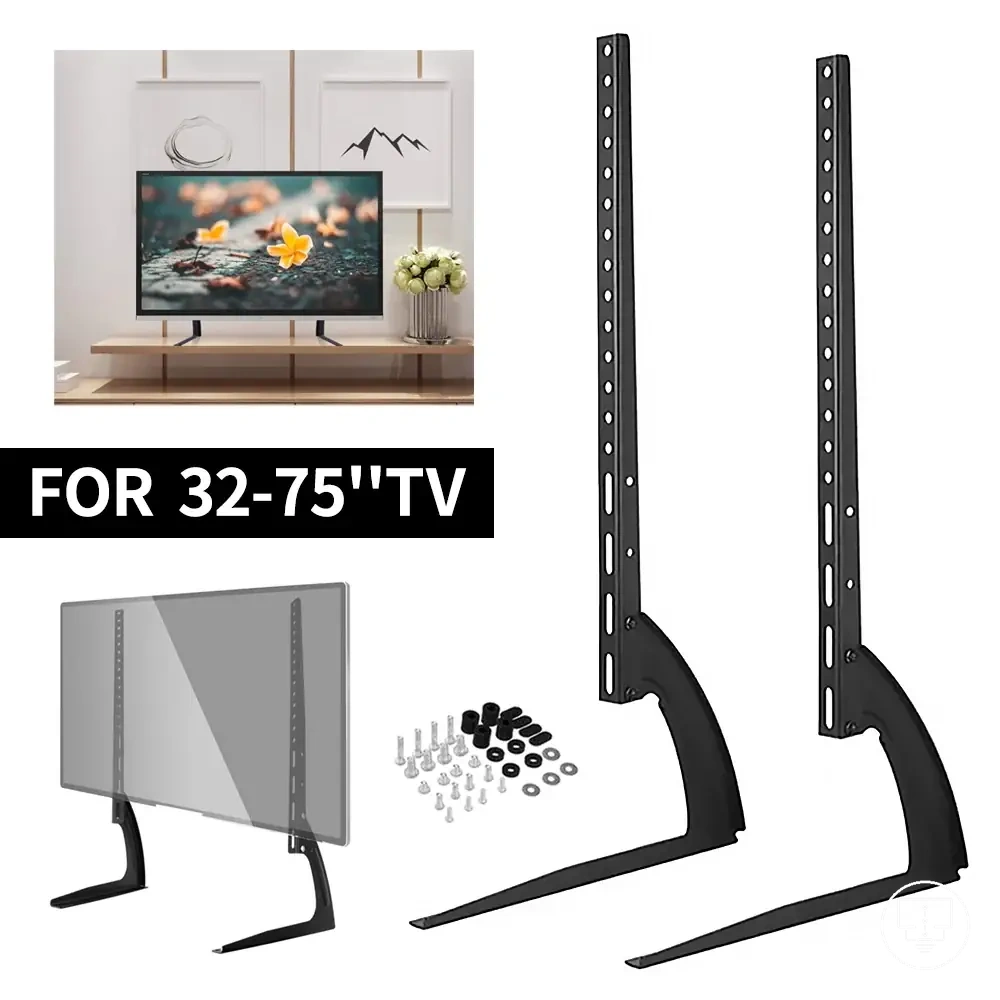
Mounting and placement accessories for TV position control how a TV is held, positioned, and supported within a room setup. These mounting accessories and placement accessories shape TV position by influencing stability, viewing angle, fit, and overall room layout integration. The effect depends on how the TV is supported, where it is placed, and how the surrounding space allows access and viewing comfort.
In real room setups, mounting accessories and placement accessories behave differently depending on whether the TV is wall-mounted, placed on a stand, or supported with additional placement aids. Wall-mounted setups prioritize fixed positioning against a vertical surface, stand-based setups rely on surface balance, and support-based placement adjusts stability when extra control is needed. These differences affect viewing angle, access to ports, and how the TV fits within the room layout based on positioning context.
Fit and safety considerations depend on conditions such as mounting compatibility, surface stability, and how weight and balance are distributed. Mounting accessories require alignment with structural and positional constraints, while placement accessories depend on stable surfaces and correct support conditions. Viewing angle, stability, and access can vary depending on these constraints and how the TV position is configured in the room.
| Placement context | Accessory role | Condition to check |
|---|---|---|
| Wall-mounted setup | Mounting accessories hold TV position on vertical surface | Mount compatibility and stable wall support |
| Stand or surface placement | Placement accessories support TV position on flat surface | Surface stability and balanced load distribution |
| Supported stability setup | Additional placement accessories improve stability control | Secure positioning and reduced movement risk |
The role of mounting and placement accessories becomes clearer when evaluated through position-based conditions such as fit, stability, viewing angle, and room layout requirements.
Mounts, brackets, plates, screws, and spacers
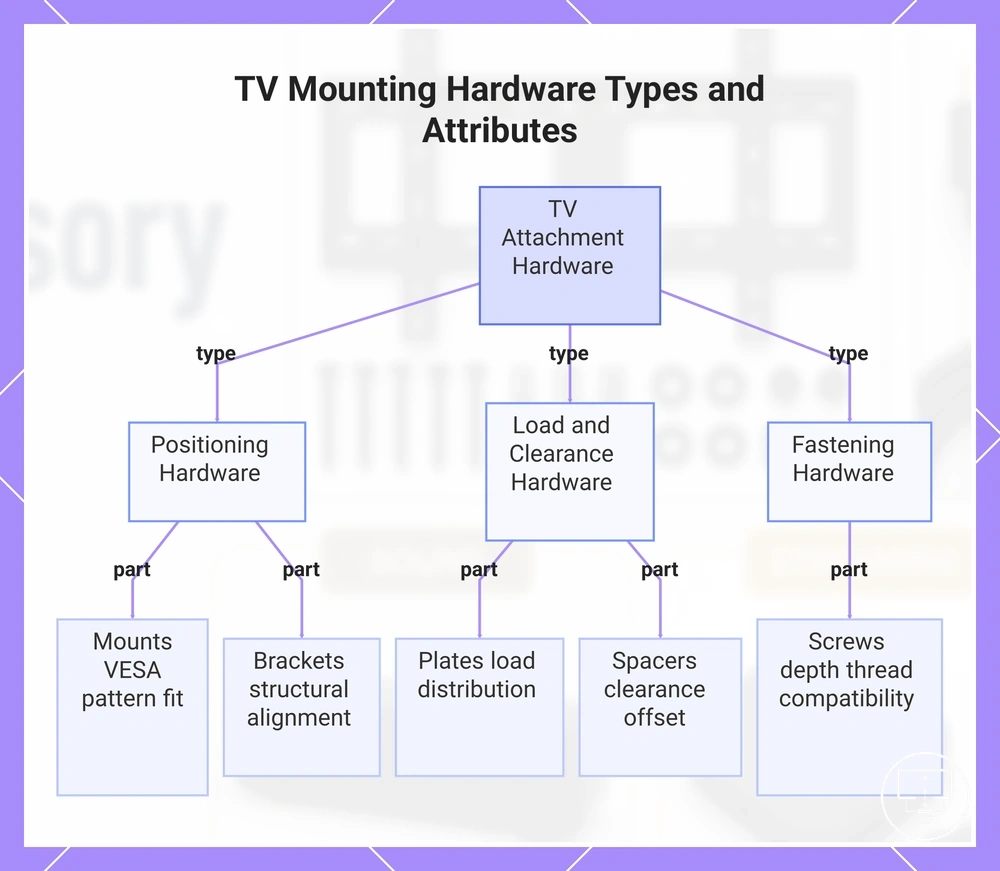
Mounts, brackets, plates, screws, and spacers are attachment hardware that control how a TV is fixed, aligned, and offset from a surface. These mounts and brackets define positioning, while plates, screws, and spacers manage connection fit, spacing, and alignment. Together, they shape attachment and spacing as the core purpose of secure TV positioning and rear clearance management.
In different setups, these hardware groups behave differently depending on the TV frame, mounting surface, and rear panel layout. Mounts and brackets interact with the TV’s VESA pattern, while screws depend on screw depth and thread compatibility. Plates distribute load across the mounting surface, and spacers adjust clearance for cable access or back panel space. These variations depend on VESA pattern, screw depth, clearance, and mounting surface conditions.
- Mounts → VESA pattern fit attribute → used when TV rear pattern matches bracket layout → supports stable TV positioning on the mounting surface
- Brackets → structural alignment attribute → used when screen orientation must align with support frame → holds TV in fixed mounted position
- Plates → mounting surface distribution attribute → used when load needs wider surface contact → improves load distribution across the mounting surface
- Screws → screw depth and thread fit attribute → used when correct depth and thread match are required → secures connection between TV and mounting system
- Spacers → clearance and offset attribute → used when rear access or gap is needed → improves cable space and back panel clearance
This chart groups TV attachment hardware into three main categories—positioning, load and clearance, and fastening—and highlights the key attribute of each component.
Stands, risers, and anti-tip supports
Stands, risers, and anti-tip supports are placement accessories that affect TV height, surface fit, stability, and viewing comfort. Stands and risers primarily adjust height and surface positioning, while anti-tip supports focus on stability. Together they separate height support from stability support within a single placement setup.
In different setups, these accessories behave based on furniture size, TV weight, viewing height needs, and household risk conditions. A stand or riser may raise the TV to improve viewing comfort and alignment, while anti-tip supports may help reduce movement risk when stability is required. Their effect depends on surface fit, TV weight, viewing height, and furniture fit conditions rather than a fixed outcome.
Condition checklist for selection:
- Surface width → affects stand or riser placement → influences furniture fit and base stability
- TV weight → determines suitability of support type → impacts stability performance under load
- Viewing height → defines required elevation → affects viewing comfort and screen alignment
- Household risk → indicates need for anti-tip support → influences stability reinforcement needs
- Furniture fit → checks compatibility with surface layout → affects overall placement balance
Cable management accessories for visible and hidden wires
Cable management accessories organize, route, conceal, and protect TV wires without changing the signal role of the cables themselves. These cable management accessories include clips, sleeves, covers, ties, and channels that structure how wires follow a cable route or wall route. Their function is to separate wire organization from cable compatibility while supporting neatness, access, and maintenance conditions.
Visible and hidden wires behave differently based on room layout, cable route design, wall route constraints, cable count, and accessibility. Clips, sleeves, and covers manage visible wires along surfaces, while channel systems and hidden-route solutions may guide cables behind walls where conditions allow. The outcome depends on how many cables are present and how often access to connections is required.
Performance depends on criteria such as cable count, accessibility needs, maintenance frequency, and surface or wall conditions. Visible routing is typically easier to access, while hidden routing may reduce visibility but can limit maintenance access depending on setup constraints. These solutions do not guarantee suitability across all environments, especially where wall type or access limitations exist.
cable management accessories should always be evaluated separately from cable compatibility, since their role is organization and routing rather than signal performance.
| Cable management type | Route or visibility condition | Main effect |
|---|---|---|
| Clips | Visible surface routing | Hold cables along edges and improve alignment |
| Sleeves | Grouped visible wires | Bundle multiple cables for cleaner appearance |
| Covers | Surface or edge concealment | Hide exposed sections and improve neatness |
| Ties | Short cable grouping | Reduce loose cable spread and improve organization |
| Channels | Structured wall or surface routing | Guide cables along fixed paths for cleaner layout |
| Hidden-route solutions | Concealed wall routing | Keep cables out of sight where installation conditions allow |
Sound and streaming accessories for expanded TV use
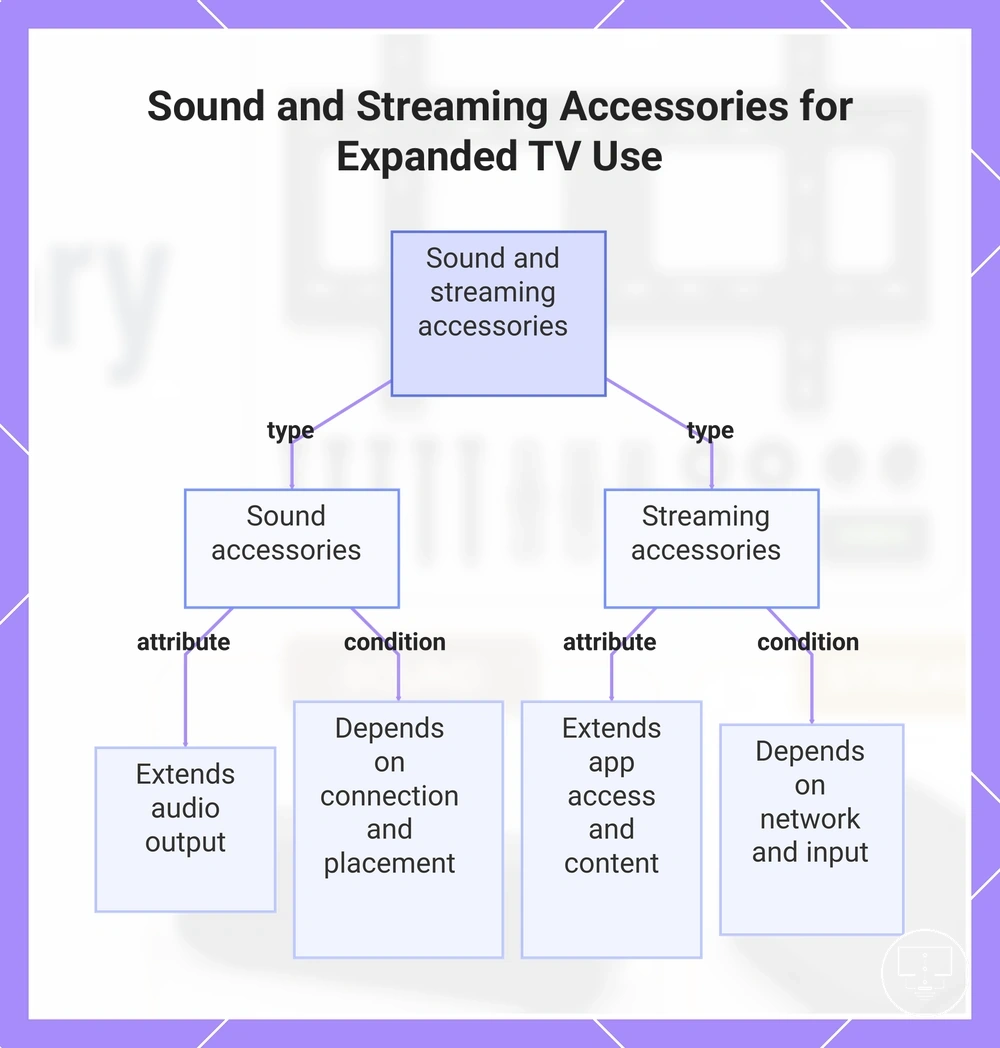
Sound and streaming accessories are setup extensions for expanded TV use that change how the TV is experienced rather than how it is physically installed. These accessories separate audio expansion from smart or streaming expansion, where sound accessories influence audio output and streaming accessories influence app access and control convenience on a smart TV. The distinction depends on how the TV system is extended through external functions rather than physical positioning.
Sound accessories extend audio output by connecting external speakers or audio systems, with results that depend on connection type, room layout, and device placement. In many setups, they can improve control convenience by separating audio control from the TV interface, but the effect varies based on compatibility and how the sound device is positioned in the room. These conditions determine whether the expansion feels more integrated or externally managed within the setup.
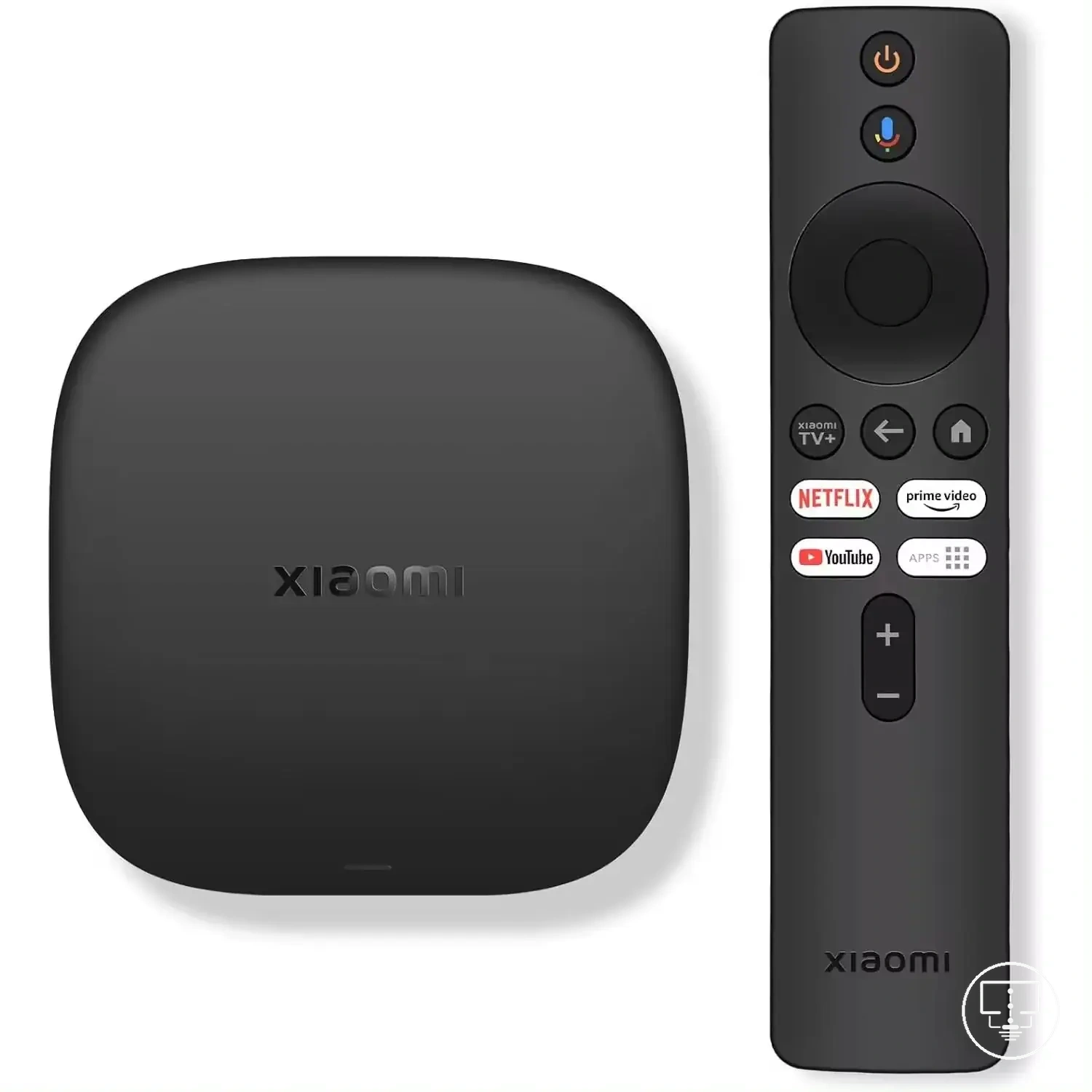
Streaming accessories extend smart TV capabilities by supporting broader app access, additional content sources, or alternative interfaces depending on system compatibility. Their function depends on network access, input availability such as HDMI or USB power, and how the device integrates with smart TV features. In some setups, they also affect device placement and control convenience by shifting app access outside the TV’s built-in system, depending on configuration and support conditions.
Sound expansion in a TV setup focuses on audio output improvements and how sound is delivered in the viewing environment based on connection and placement conditions. These outcomes depend on device configuration and available connections. sound setup accessories
Streaming expansion in a TV setup focuses on increasing app access and improving content delivery through connected or smart systems based on network and input conditions. streaming setup accessories
This chart shows the two main types of TV use expansion accessories – sound and streaming – and their key functions and dependencies.
Soundbars, speakers, and audio connection accessories
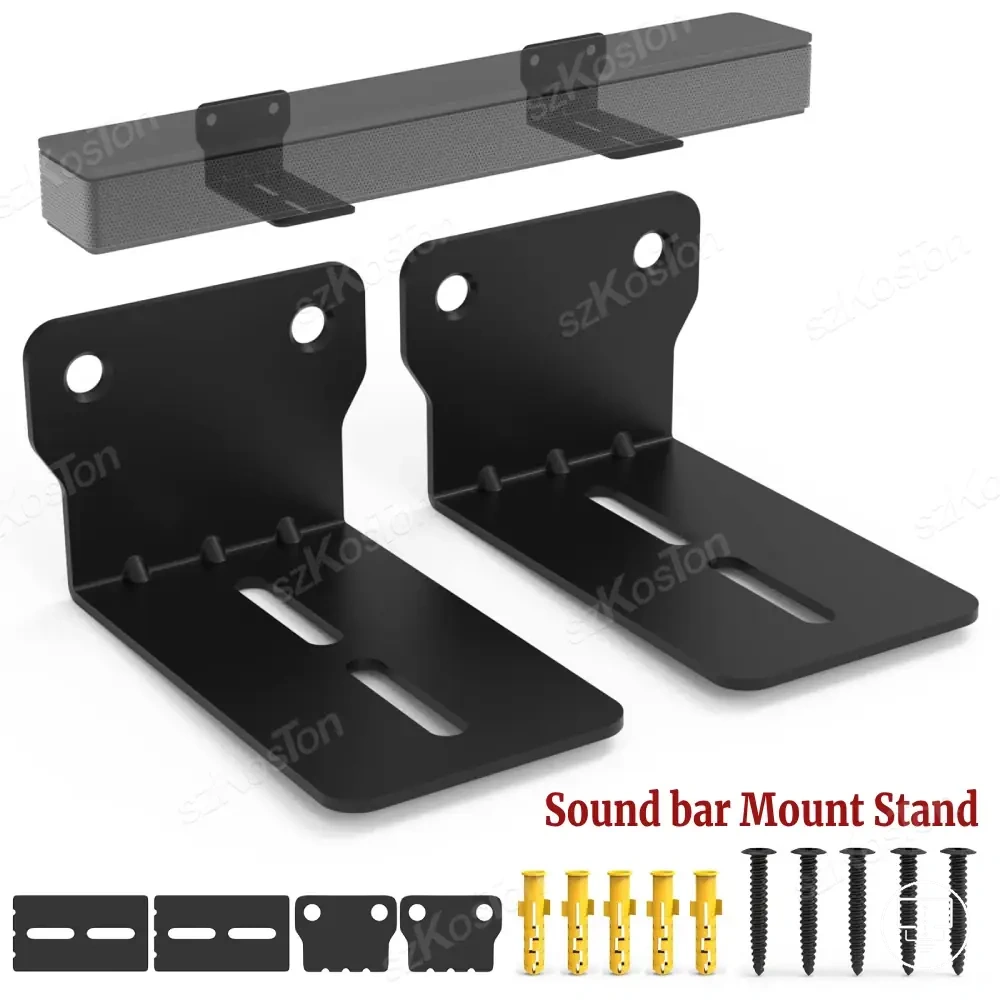
Soundbars, speakers, and audio connection accessories refer to local audio-support items that extend or redirect TV audio output depending on the setup configuration. Soundbars and speakers function as audio output devices, while audio connection accessories such as HDMI ARC cables, optical audio cables, and adapters support sound routing between the TV and external audio devices. This separation distinguishes direct output devices from supporting connection components used for linking and routing audio signals.
In practical TV setups, soundbars and speakers depend on placement, room layout, and available connection types, while audio connection accessories depend on compatible ports and signal support such as HDMI ARC or optical audio. Their effect on sound routing and usability varies based on how the TV and external audio devices are arranged and connected. In many cases, results are influenced by room conditions, device compatibility, and the type of connection used rather than a fixed output outcome.
- Soundbars → audio output attribute → depends on HDMI ARC or optical audio connection → routes TV audio into a centralized external output
- Speakers → placement attribute → depends on room layout and positioning conditions → distributes audio output across different listening areas
- HDMI ARC cables → sound routing attribute → depends on ARC-compatible TV ports → enables two-way audio communication between TV and audio device
- Optical audio cables → digital audio transfer attribute → depends on optical port availability → carries structured audio signal from TV to external system
- Audio adapters → compatibility attribute → depends on mismatched or limited port types → enables connection between different audio formats and devices
Streaming devices, smart TV add-ons, and device mounts
Streaming devices, smart TV add-ons, and device mounts extend streaming-related use by improving access, connectivity, or placement rather than changing the TV’s core display function. These items include streaming devices that enable app use, smart TV add-ons that expand system access, and device mounts that adjust physical positioning. Their role is defined by how they support app use, connectivity, and device placement within a streaming setup.
In practice, streaming devices, smart TV add-ons, and device mounts depend on HDMI access, USB power, Wi-Fi strength, remote access, and device position as possible checks for proper setup. Streaming devices and smart TV add-ons may require stable network and port support for app use, while device mounts depend on physical position, visibility needs, and cable neatness. App use and usability may vary based on these conditions and how the device is positioned in relation to the TV.
- HDMI access → connection condition → depends on available TV input ports → determines whether external streaming hardware can be connected
- USB power → power supply condition → depends on TV or adapter output support → enables continuous operation of add-on devices
- Wi-Fi strength → network condition → depends on router stability and distance → affects app use and streaming access reliability
- Remote access → control condition → depends on device and app support → affects usability and navigation of streaming functions
- Device position → placement condition → depends on mounting or surface setup → affects visibility, access, and cable neatness
Power, remote, and control accessories
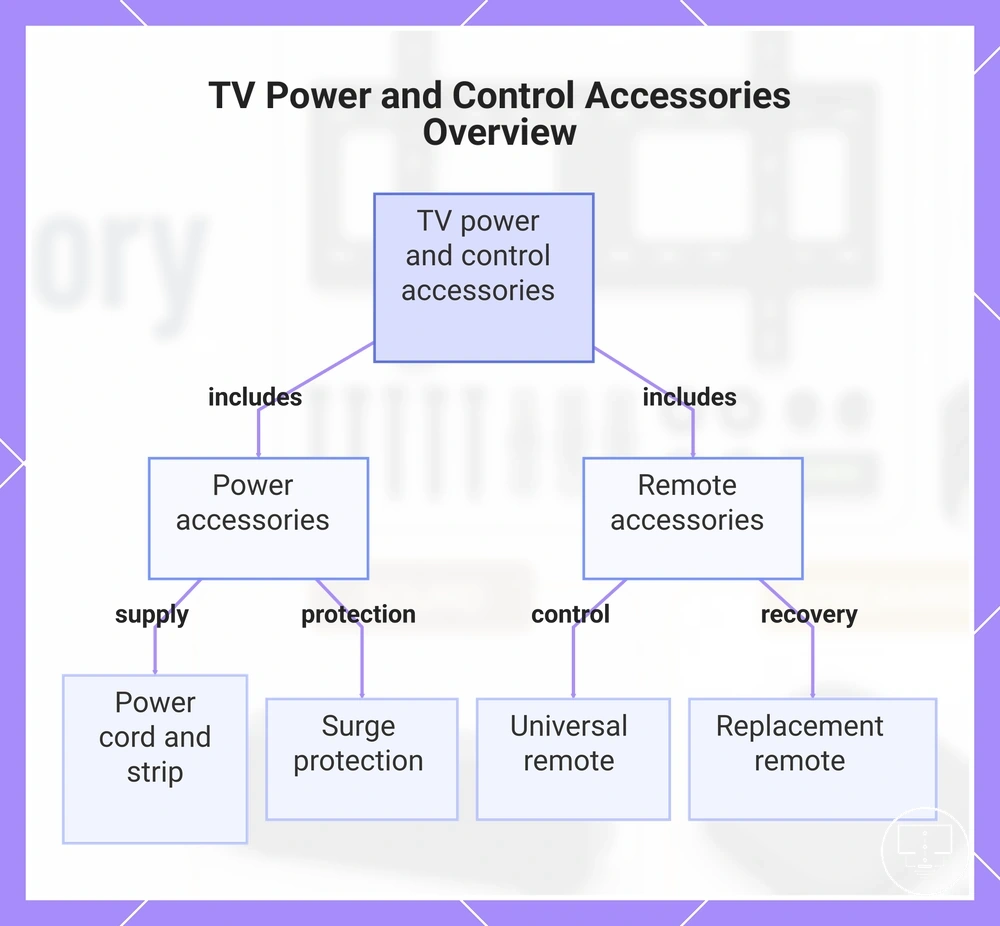
Power, remote, and control accessories refer to support items that keep a TV supplied with electricity, reachable through user input, and easier to operate within a home setup. These include power accessories, remote accessories, and control accessories such as a power cord, surge protection units, power strips, universal remote options, and replacement remote units. Their role is to support operation by improving access, control, and protection, while remaining separate from the TV’s core display and signal processing functions.
In practical use, power accessories and remote accessories depend on outlet position, device count, remote condition, and room layout to support stable operation. A power cord or power strip may be affected by how many devices share a single outlet, while a universal remote or replacement remote depends on compatibility conditions and user control needs. These factors shape accessibility and convenience, but outcomes vary depending on setup structure rather than fixed performance guarantees.
Selection and effectiveness depend on criteria such as load distribution, outlet access, compatibility limits, and control requirements. Surge protection and power strips may support device load management under suitable conditions, while remote accessories depend on model matching and replacement suitability. These accessories support operation, but they do not solve every device, signal, or system-related issue across all setups.
- Power accessories → supply attribute → depends on outlet position and load conditions → support consistent power delivery within setup limits
- Surge protection → protection attribute → depends on load rating and electrical fluctuation conditions → helps reduce risk from irregular power flow
- Power strip → distribution attribute → depends on device count and outlet availability → enables multiple device connections from one outlet
- Universal remote → control attribute → depends on compatibility with supported TV models → enables shared control across compatible devices
- Replacement remote → recovery attribute → depends on loss or damage of original remote → restores basic control functions when compatible
This chart categorizes power and remote accessories for TVs and lists their key components.
Power cords, surge protection, and power strips
Power cords, surge protection, and power strips are local power-support items where fit, rating, outlet access, and safe use matter for basic TV operation. Power cords supply the direct connection to the TV, surge protection may help manage irregular power flow within rated limits, and power strips extend outlet availability for multiple devices. These components depend on correct fit, electrical rating, outlet access, and safe use conditions.
In different setups, power cords, surge protection, and power strips differ by connector type, electrical rating, device load, and room setup. A power cord must match the correct connector type for proper fit, while surge protection and power strips depend on how device load is distributed across connected equipment. Outlet access and room layout can also affect how safely and practically these power support items are arranged in use.
Safety-related evaluation depends on checking basic conditions before use and deferring to product labels and local requirements where needed.
- Power cords → connector type condition → must match device input → supports correct physical and electrical fit
- Surge protection → electrical rating condition → depends on device load limits → may help manage irregular power conditions within rated capacity
- Power strips → outlet access condition → depends on available sockets and room setup → enables shared power distribution for multiple devices
- Safe use → product label and local requirement condition → varies by device specification → helps reduce improper usage risk
Universal remotes, replacement remotes, and control add-ons
Universal remotes, replacement remotes, and control add-ons are local control accessories that affect how a TV and connected devices are operated through compatibility and access conditions. Universal remotes provide shared control across supported devices, replacement remotes restore basic operation when the original remote is unavailable, and control add-ons extend or adjust operation through storage or signal-related support. These categories separate replacement needs from broader control, storage, protective, and signal extension support.
In practical use, universal remotes, replacement remotes, and control add-ons depend on TV model compatibility, device condition, remote access, signal extension, and room layout. A universal remote may require compatibility alignment with the TV system, while a replacement remote depends on matching operation functions for basic control. Control add-ons such as IR extenders, remote holders, or protective covers may affect access and handling depending on placement and usage conditions. These factors shape how operation and convenience are managed across different environments.
- Replacement remotes → device condition attribute → depends on lost or damaged original remote → restores basic operation when compatible
- Universal remotes → compatibility attribute → depends on TV model and supported device systems → enables shared control across compatible devices
- Control add-ons → operation and access attribute → depends on remote access and usage needs → may improve convenience and handling
- Signal extension tools (IR extenders) → signal extension attribute → depends on distance and room layout → can support extended remote access range
- Remote holders → storage attribute → depends on room layout and usage habits → improves accessibility and reduces misplacement
- Protective control accessories → protection attribute → depends on device handling and environment → may reduce wear and improve remote longevity
How accessory types differ by setup need
Accessory types differ by setup need based on how a TV environment requires connection, position, cable visibility, sound, streaming, power, and control conditions. Each accessory category aligns with a specific setup need rather than product popularity or general preference. This means selection depends on practical requirements rather than assumed suitability across all situations.
A new TV setup may require broad connection and basic control readiness, while a wall-mounted setup often depends more on position stability and cable visibility management. A streaming-focused setup prioritizes network access and device integration, while an audio-focused setup depends on sound output conditions. Cluttered cable setups often emphasize cable visibility control, and power or control-heavy setups focus on stable power distribution and operation convenience. These variations reflect how setup needs are grouped across connection, position, cable visibility, sound, streaming, power, and control conditions.
Accessory selection can be organized by mapping setup need to accessory category and then evaluating the deciding attribute for that condition. This structure helps clarify how each need connects to a functional accessory type without turning the comparison into a product list. The table below organizes setup needs by accessory category and deciding attribute.
| Setup need | Accessory category | Deciding attribute | When it is useful |
|---|---|---|---|
| New TV setup | Connection accessories | Compatibility and basic access | When initial device linking and setup readiness is required |
| Wall-mounted setup | Mounting and placement accessories | Position and stability | When fixed positioning and structured layout control is needed |
| Streaming-focused setup | Streaming devices and network accessories | Signal access and connectivity | When app access and external streaming support is required |
| Audio-focused setup | Sound accessories | Sound output routing | When external audio improvement or distribution is needed |
| Cluttered cable setup | Cable management accessories | Cable visibility and routing | When reducing visible wiring and improving organization is needed |
| Power or control need | Power and control accessories | Power stability and operation access | When stable power supply or improved control access is required |
Accessory types remain useful, optional, or outside scope depending on how strongly the setup need matches the deciding attribute within each category. In many cases, multiple accessory categories may apply together, but their relevance still depends on the primary setup condition such as connection, position, cable visibility, sound, streaming, power, or control requirements.
Here are product examples that may make comparison easier. Before buying, always review the compatibility criteria, essential features, and product details.