
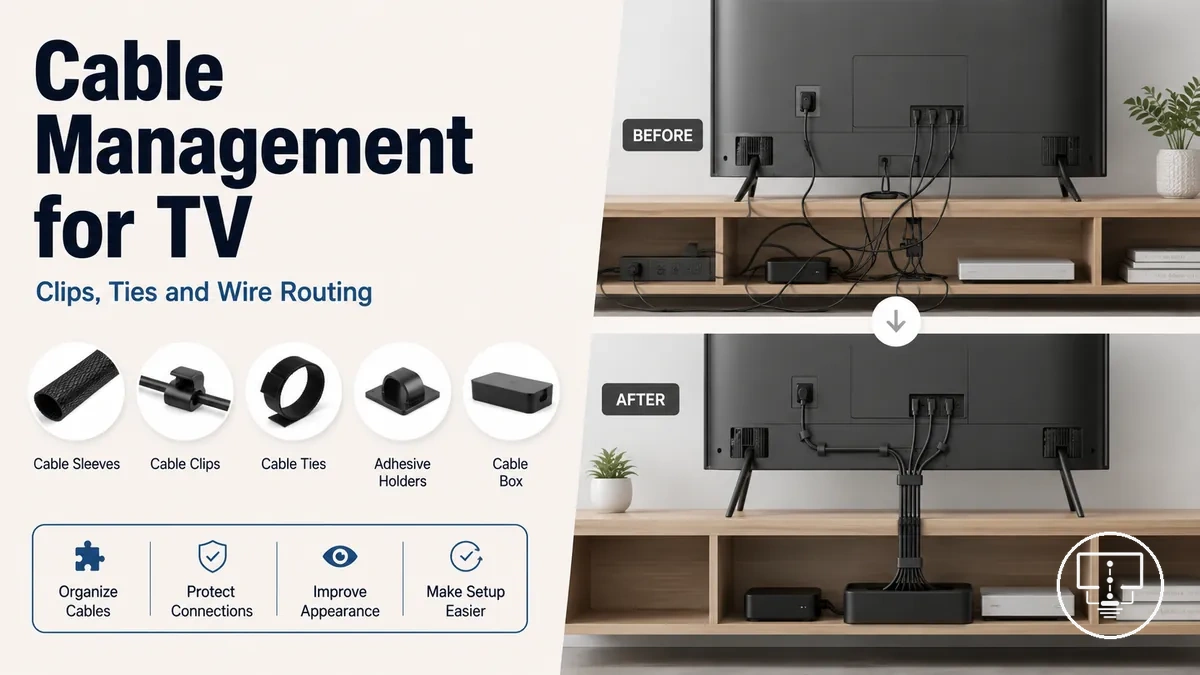
Cable management accessories for TV setups
Cable management accessories are decision-support items used to organize, hide, route, or protect cables around a TV setup. They help reduce cable visibility while keeping access, room layout, and accessory choice connected to the television, devices, wall surface, and furniture. Cable management depends on setup context.
Visible wall cables, loose wires behind the TV, floor-level cord clutter, and hard-to-reach ports can change which cable route makes sense. A cable organizer may help one setup, while another setup may need a removable cord hider, a different cable routing path, or more space for ventilation and future changes. The decision depends on wall type, cable count, TV placement, access needs, and safety limits.
Cable routing is different from choosing TV cables and connection cable types. Cord management focuses on where cables sit, how they are contained, how visible they remain, and whether the setup still allows port access, cleaning, device changes, and safe movement. This makes accessory choice a practical fit question before it becomes a price-checking or comparison question.
What TV cable management accessories include
TV cable management accessories are items used to group, cover, route, or hold cables around a TV setup. They help reduce cable clutter, improve cable visibility control, and support cleaner cable paths. Grouping, covering, routing, and holding are the main functions of these accessories.
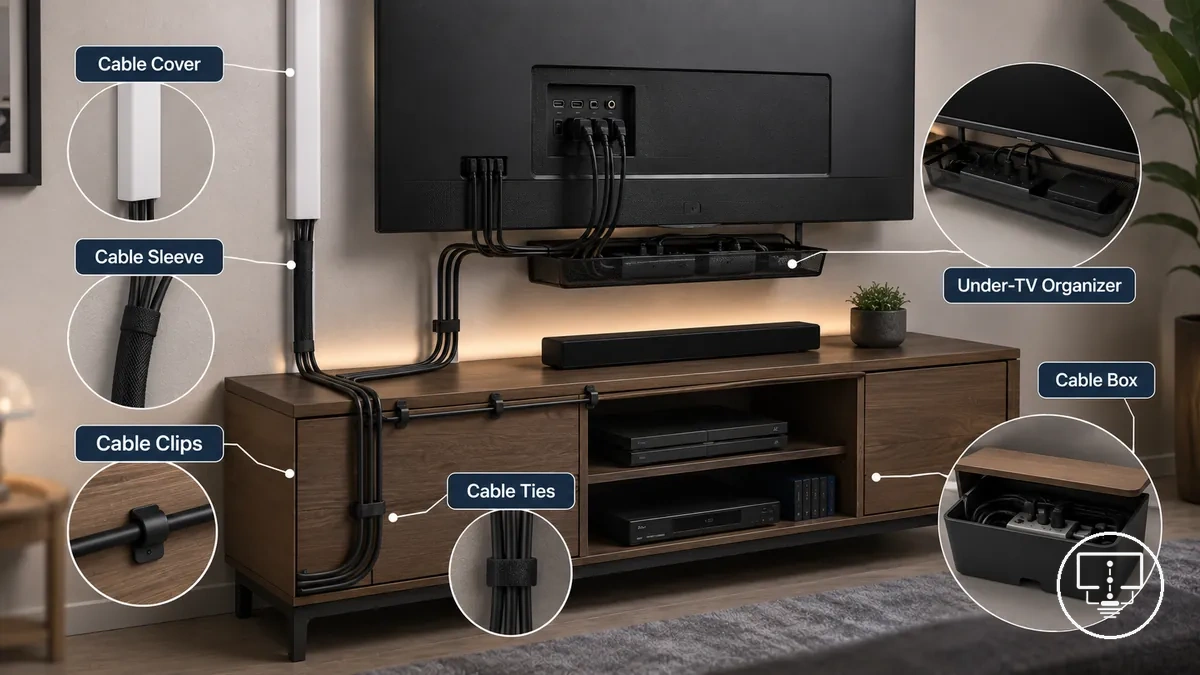
TV cable management accessories form a family of cable organization tools designed for different placement and containment needs. An accessory type is typically selected according to its function, cable route, surface location, or access requirement. This category sits within the broader group of TV setup accessories.
These accessories manage how cables are arranged, concealed, or secured, but they are not the cables or connection components themselves. A TV cord hider, cable organizer, raceway, cable channel, or wire cover focuses on cable routing and containment rather than signal transfer or device connectivity. For connection-related components, see TV cables and connections.
The accessory types below are grouped by function and intended outcome:
- Cable covers – support concealment by reducing the visibility of exposed wall cables.
- Wall cable cover – helps contain cables along a wall route for a cleaner cable path.
- Cable sleeves – group loose cables together while helping maintain access to the cable bundle.
- Cable clips – hold cables against a surface to support controlled cable placement.
- Cable ties – bundle multiple cables to improve cable organization.
- Cable boxes – contain power boards and excess cable length to reduce floor clutter.
- Under-TV organizers – help manage cable routing and cable placement below a television.
Cable covers, sleeves, clips, ties, boxes, and under-TV organizers
Cable covers, sleeves, clips, ties, boxes, and under-TV organizers are the primary accessory types used to manage cable placement, cable capacity, and cable organization around a TV setup. Each accessory type serves a different function based on surface fit, routing requirements, and the practical outcome needed. The table below organizes these accessory types by function and use characteristics.
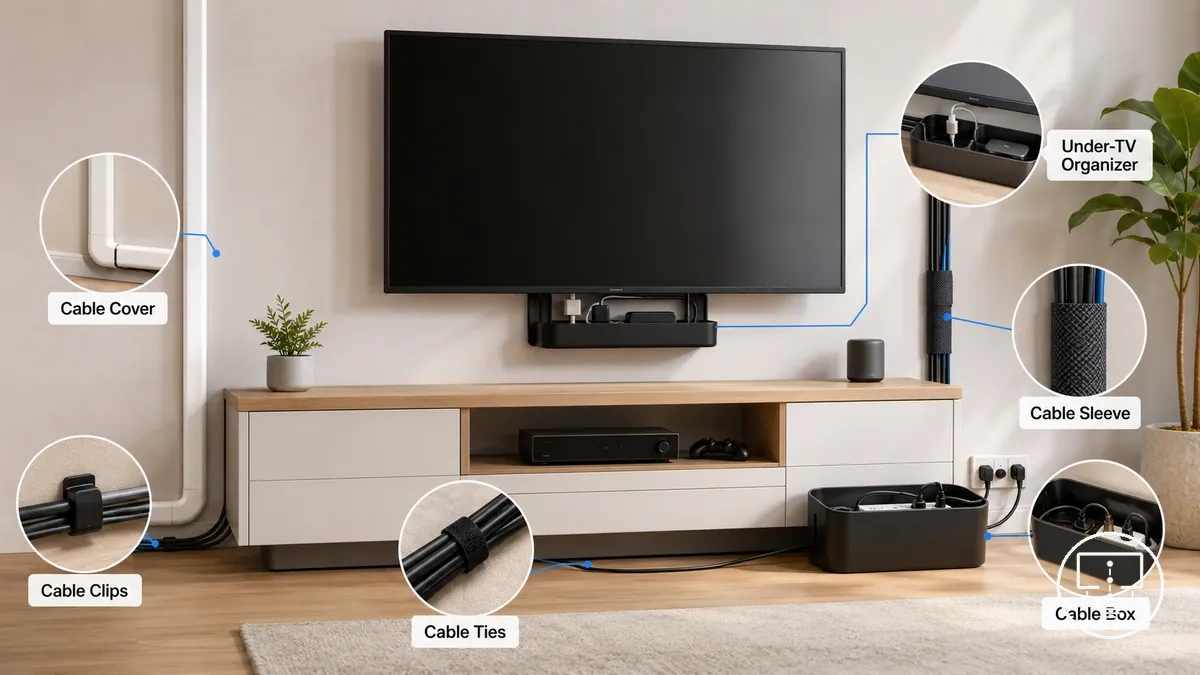
Placement and cable capacity often influence which accessory type is more suitable for a particular setup condition. Cable covers, raceways, and channels may suit visible wall routes, while sleeves, ties, and cable wrap can help group loose cables behind equipment. The most suitable fit depends on the cable route, surface conditions, and the intended practical outcome.
| Accessory Type | Attribute | Placement / Surface Fit | Practical Outcome |
|---|---|---|---|
| Cable covers | Concealment | Wall routes and exposed cable paths | Reduced cable visibility |
| Sleeves | Flexibility and diameter range | Groups of loose cables | Improved cable grouping |
| Clips | Cable hold | Flat surfaces and mounting points | Controlled cable placement |
| Ties | Bundling capacity | Cable bundles behind devices | More organized cable runs |
| Boxes | Containment | Power board and cord box areas | Reduced clutter and improved access |
| Under-TV organizers | Cable management zone | Below televisions and media equipment | More structured cable routing |
Which cable management accessory fits each cable problem
A suitable accessory depends on the cable problem being addressed rather than a single answer for every setup. Visible wall cables, loose cables behind the TV, floor-level clutter, and under-stand cable grouping needs often require different accessory attributes and outcomes. The right match depends on where the cable problem appears.
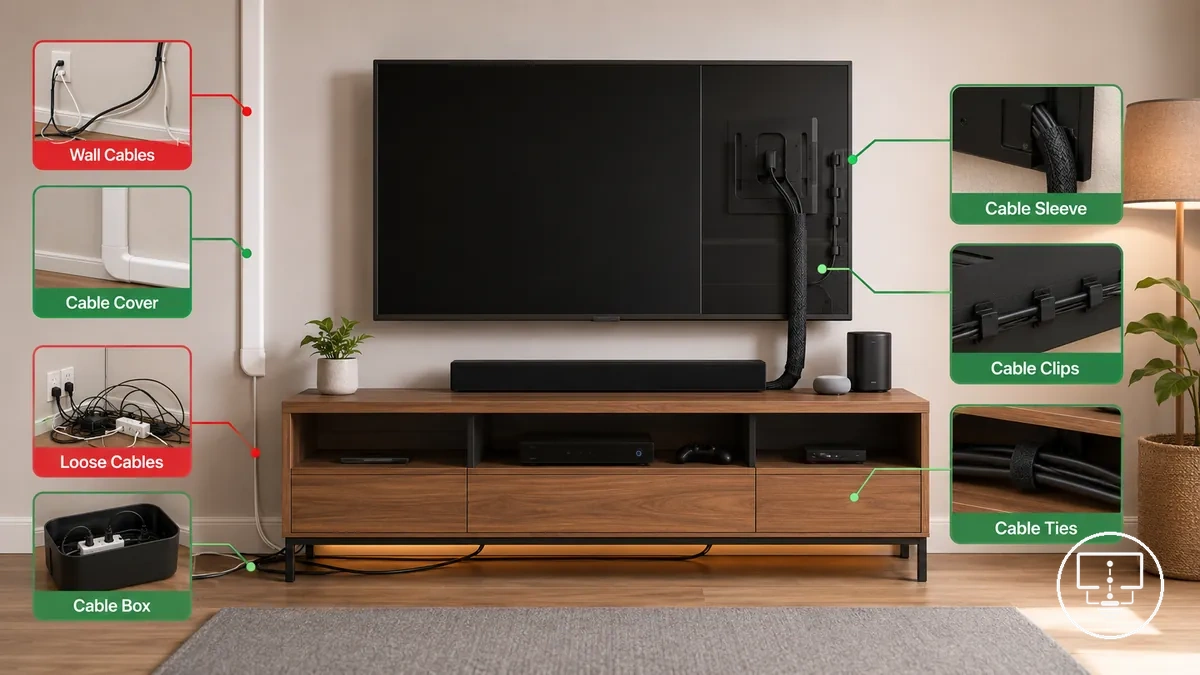
Visibility, location, cable count, cable capacity, and access needs can influence which accessory is more suitable. A visible wall cable may suit a cover that follows a surface route, while loose cables behind the TV may be easier to organize with clips or sleeves that help manage slack. Floor-level clutter often benefits from containment, and access needs may affect whether future cable changes remain convenient. The table below matches common cable problems with accessory attributes and expected outcomes.
More than one suitable accessory can address the same cable mess, cord clutter, or cable tangle. For example, sleeves and clips may both help manage loose cables behind the TV, but each focuses on a different attribute of cable control. Accessory selection depends on the condition, location, and access needs rather than a universal solution.
| Cable Problem | Suitable Accessory | Accessory Attribute | Expected Outcome |
|---|---|---|---|
| Visible wall cables | Cable cover | Surface concealment | Reduced cable visibility along a wall route |
| Loose cables behind the TV | Cable sleeve | Cable capacity and grouping | More organized cable bundles |
| Loose cables behind the TV | Cable clip | Slack control and cable hold | More controlled cable placement |
| Floor-level clutter | Cable box | Containment and cleaning access | Reduced cord clutter around power connections |
| Under-stand cable grouping | Cable ties | Bundle management | More structured cable routing |
| Mixed wire clutter with changing access needs | Under-TV organizer | Cable organization and access support | Improved access to grouped cables and ports |
Visible wall cables
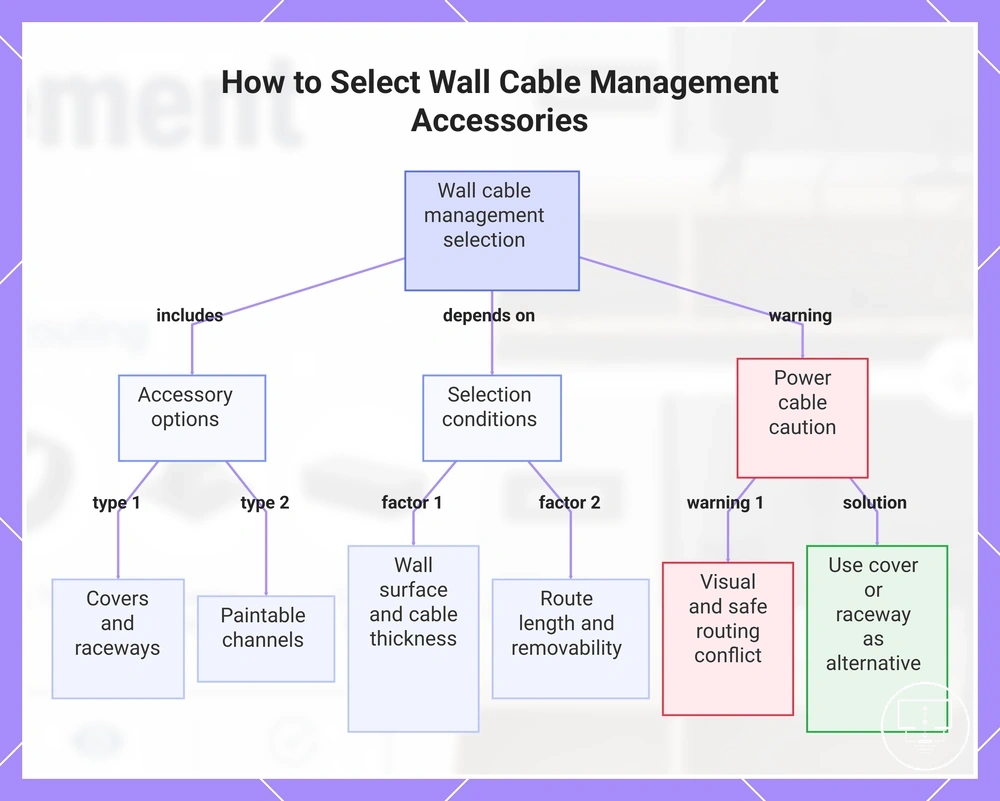
Visible wall cables are usually managed with a wall cable cover, raceway, or paintable channel that conceals the cable route along the wall surface. These accessories can help reduce cable visibility while keeping the route accessible and organized. The most suitable option depends on the wall surface, cable thickness, route length, and removability requirements, including covers, raceways, and paintable channels.
The following conditions often influence accessory selection:
- Wall surface: Adhesive-backed options may suit smooth surfaces, while other wall surfaces may be better suited to screw fixing or alternative mounting methods.
- Cable thickness: Greater cable thickness may require a cable channel or raceway with enough channel capacity for the cable route.
- Route length: Longer route length can make a continuous raceway or paintable channel easier to keep visually consistent.
- Removability: A cord cover, wire cover, or TV cord hider may be preferable when future cable changes are expected.
- Finish: A paintable channel may suit situations where the cable route is intended to blend more closely with the surrounding wall surface.
When a power cable is part of the route, visual concealment and safe routing are not always the same choice. In-wall options may depend on power-cable requirements, wall suitability, and other conditions, so a wall cable cover or raceway can be a practical alternative when those factors have not been confirmed.
This chart shows the main types of wall cable management accessories, the key conditions for selecting them, and an important caution about power cables.
Loose cables behind the TV
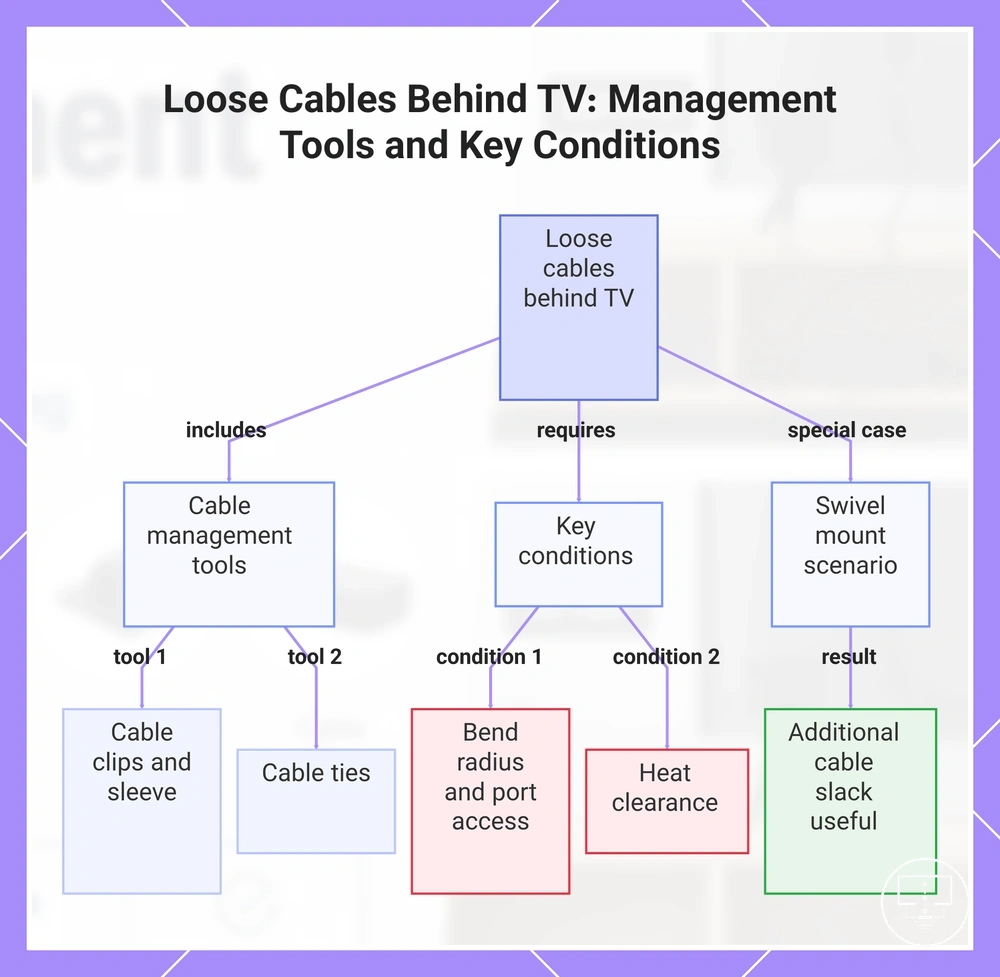
Loose cables behind the TV are usually a grouping, anchoring, and access issue rather than a concealment issue. Cable clips, a cable sleeve, and cable ties can help organize cable slack in the rear cable area while keeping connections reachable. The local job is to group and anchor cables without reducing access to devices or ports.
Cable clips can help anchor loose cables, while a cable sleeve can help keep a cable bundle together in a more controlled route. Cable ties can help manage cable slack when multiple cables run together, but bend radius, port access, and heat clearance remain important conditions. If a TV uses a swivel mount or requires frequent port access, additional cable slack may be useful when cables need to move or connections change.
The following conditions help clarify which behind-TV approach may be more suitable:
- Cable clips: Help anchor loose cables and guide cable routing within the rear cable area.
- Cable sleeve: Helps group a cable bundle while keeping the route more organized.
- Cable ties: Help manage cable slack when multiple cables follow the same path.
- Bend radius and port access: Tight routing may reduce access to ports or place additional strain on connected cables, including an HDMI cable.
- Heat clearance: Cables and accessories should leave space around vents and connected devices when airflow depends on those openings.
This chart outlines the cable management tools and key conditions for handling loose cables behind a TV.
Cable clutter below the TV stand
Cable clutter below the TV stand usually needs grouping, containment, and separation from power boards or floor traffic. An under-TV organizer, cable box, cable ties, or cable clips can help contain loose routes without turning the area into a broader furniture or room-layout problem. Containment is the main job.
Cable length, airflow, cleaning access, and power board position can change which approach is more suitable. A cable box or cord box may help contain excess length near a media console, while a cable tray, cable ties, or cable clips may help guide shorter routes below the stand. Use the checklist below to verify cable position, access, and containment before choosing an accessory.
- Position: Check whether cables sit behind the TV stand, below the shelf, or near floor traffic.
- Containment: Use a cable box or under-TV organizer when loose cable length needs a defined holding area.
- Separation: Keep the power board and device cables arranged so access remains practical and the board is not overloaded.
- Airflow: Leave clearance around devices and power areas when airflow depends on open space.
- Cable length: Use cable ties or cable clips when excess length needs grouping rather than full containment.
- Cleaning access: Choose a route that still allows dust removal and device changes around the entertainment unit.
On-wall, in-wall, and furniture-based cable routes
An appropriate cable route depends on visibility, permanence, safety constraints, and access requirements before choosing individual accessories. Each route option manages cables differently and creates a different balance between concealment and accessibility. The three main options are an on-wall route, an in-wall route, and a furniture-based route.
An on-wall route uses covers or raceways attached to the wall surface and may be easier to access or modify later. An in-wall route places cables within a wall cavity, which can reduce visibility but may limit access and introduce additional safety constraints. A furniture-based route uses organizers, cable boxes, or containment within a console or stand area. Each route involves a trade-off between visibility, permanence, safety constraints, and access, as shown in the comparison below. Related setup considerations may also involve mounting and placement accessories.
| Route Option | Requirement | Trade-off | Suitable TV Setup |
|---|---|---|---|
| On-wall route | On-wall cover, raceway route, or surface pathway | More visible than concealed routes but often easier to access or adjust | Setups where removability and cable access are priorities |
| In-wall route | In-wall kit and suitable wall cavity conditions | Lower visibility but access may be more limited after routing | Setups where cable visibility is a primary concern and wall conditions are suitable |
| Furniture-based route | Furniture organizer, cable box, or behind-stand route | Depends on available containment space and furniture layout | TV stands, media consoles, and entertainment units with cable containment areas |
In-wall routing can involve electrical safety limits and may require installation guidance depending on cable type and wall conditions. Because permanence, access, and safety constraints vary between route options, the most suitable cable route depends on the specific TV setup and intended use.
On-wall cord covers and raceways
On-wall cord covers and raceways are cable-management accessories that create a visible-surface route without opening the wall. They guide cables along the wall surface while reducing cable exposure and helping maintain a cleaner cable path. On-wall cord covers and raceways hide cables on the surface rather than inside the wall.
Surface fit depends on wall conditions, route length, colour, paintability, and cable capacity. A wall cable cover, cable channel, cable raceway, or cord hider may use adhesive strength, screw fixing, or a combination of both depending on the wall surface and removability requirements. For example, a wall-mounted TV positioned above a console may use a raceway route to guide cables along the wall surface between the TV and connected devices. The criteria below can help qualify fit for a specific visible-surface route.
- Adhesive strength: Adhesive-backed options may perform differently depending on wall surface texture and finish.
- Screw fixing: Screw fixing can provide a more secure attachment but may reduce removability and affect wall condition.
- Cable capacity: Cable capacity should match the number and thickness of cables within the route.
- Route straightness: A straighter route can help a cable raceway or wall cable cover maintain a more consistent appearance.
- Paintability and colour: A paintable channel or colour-matched cover may reduce visibility when it suits the wall finish.
- Removability: Renter-friendly suitability depends on the cover type, wall surface, and attachment method rather than a universal outcome.
On-wall cord covers and raceways can help manage cable visibility on the wall surface, but they are not a substitute for installation requirements that may apply when power cables and wall-routing decisions are involved.
In-wall cable management kits
Choosing an in-wall cable management kit depends on whether the wall route is suitable for concealed cable routing and whether the required safety conditions can be evaluated. An in-wall cable management kit is a more permanent routing option than surface-mounted solutions and may involve additional wall-compatibility constraints. In-wall cable management kits require stronger suitability checks before selection.
Wall cavity availability, cable rating, power routing considerations, outlet location, and access panel availability can affect whether an in-wall kit is appropriate. A recessed cable kit or wall pass-through may be used for a low-voltage cable route, but suitability depends on the specific wall conditions and cable requirements. Reduced access after routing can create a trade-off between permanence and future maintenance. When power routing is involved, additional safety requirements may apply, so assumptions about cable suitability should be avoided.
The checklist below verifies suitability, not installation instructions:
- Wall cavity: Confirm that a suitable wall cavity is available for the intended cable pass-through route.
- Cable rating: Check whether the cable rating matches the intended wall route.
- Low-voltage cable use: Verify whether the planned route is intended for a low-voltage cable or a different cable type.
- Outlet location: Consider whether the outlet location supports the intended cable path without unnecessary routing complexity.
- Access panel: Check whether future access remains practical if maintenance or cable changes are needed.
- Power routing: Confirm that any power-routing decision is evaluated against relevant safety requirements rather than assumed to be suitable.
In-wall kits can provide a more concealed cable route, but power-routing decisions may require additional evaluation when safety requirements depend on wall conditions, cable type, or installation context.
Behind-stand and under-TV cable organizers
When cables collect around a TV stand, media console, shelf, or entertainment unit, behind-stand and under-TV cable organizers help manage cable routes while keeping connected devices accessible. A behind-stand organizer or under-TV organizer is used to group cables, reduce loose cable movement, and support a more controlled cable path. The main goals are containment and access.
Furniture-based cable organization can use a cable box, under-TV tray, reusable ties, and clip placement to keep cable routes organized around connected devices. For example, a streaming device and soundbar cable setup may be easier to manage when power and signal cables follow separate routes. Surge-board clearance may remain important when airflow depends on available space around devices, and cleaning access can influence organizer placement. The checklist below focuses on grouping, containment, and access.
- Containment: A cable box or cord box can contain excess cable length and reduce loose cable clutter behind a stand.
- Separation: Reusable ties and an under-TV tray can help separate cable groups by device or route.
- Clearance: Surge-board clearance may be needed when airflow or access depends on surrounding space.
- Cable length: Excess cable length can be grouped with reusable ties to keep routes more organized.
- Cleaning access: Organizer placement should allow practical cleaning access around floors, shelves, and device areas.
- Device access: Clip placement can help guide cables while preserving access to ports and connected devices.
How to choose cable management accessories for a TV setup
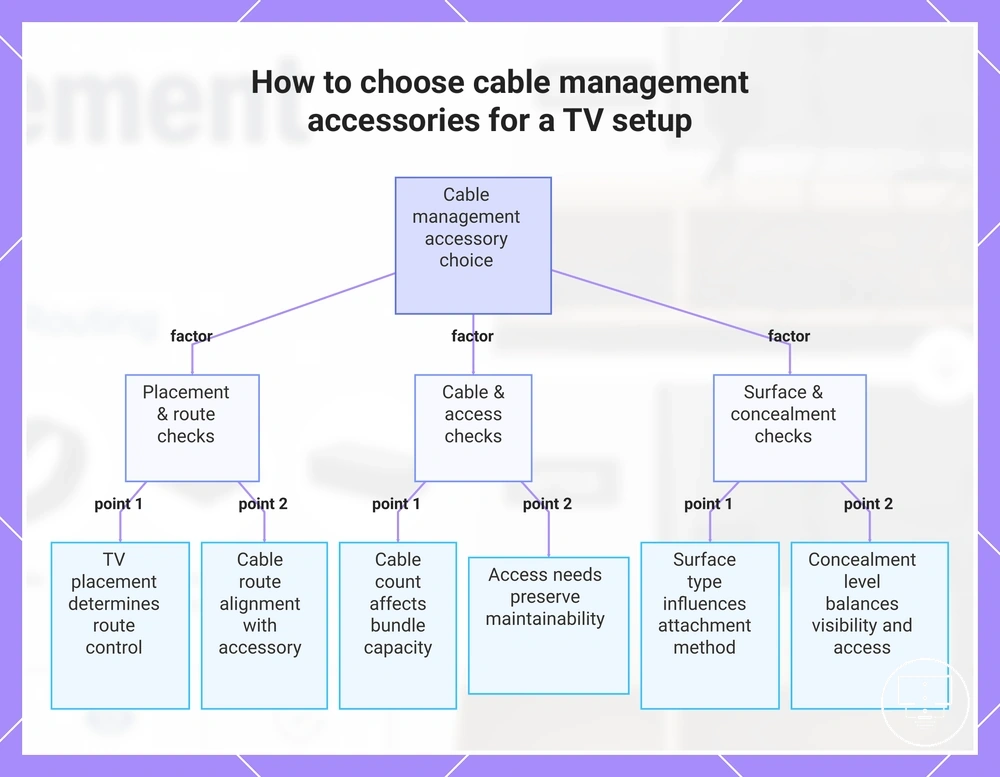
To choose cable management accessories, start with the setup condition rather than the appearance of the accessory. The most suitable choice depends on TV placement, cable count, surface type, and access needs because each factor can change the cable route and the accessory attribute required. Setup condition comes before product appearance.
TV placement influences where cables travel and how visible they remain. Cable count affects bundle size, containment needs, and future access, while surface type can influence whether adhesive attachment, screw fixing, or removability is more relevant. Access needs matter when ports, devices, or cable routes may require future changes. These factors work together through a decision path of setup type → cable route → accessory attribute → decision effect.
Different setup conditions often lead to different accessory choices. A wall-mounted TV may place more emphasis on cable concealment along a wall route, while a stand-based setup may focus more on containment around devices and power connections. Compact-room setups may require a balance between cable concealment and ongoing access. Use the checklist below to sequence the decision.
- TV placement: If the TV is wall-mounted, match the accessory attribute to the intended cable route and visibility goal; the decision effect is more controlled cable placement.
- Cable count: If multiple cables share the same path, match cable capacity to bundle size; the decision effect is clearer cable organization.
- Surface type: If the route follows a wall or furniture surface, select attachment methods that suit the surface type; the decision effect is better route stability and removability control.
- Access needs: If ports or devices may need future changes, choose accessories that preserve access; the decision effect is easier maintenance and cable adjustment.
- Cable route: If the route is exposed, concealed, or furniture-based, match the accessory attribute to that route; the decision effect is a cable-management approach aligned with the setup condition.
- Concealment level: If reducing cable visibility is a priority, select accessories that support the required level of concealment without limiting necessary access; the decision effect is a more balanced setup.
This chart groups the key decision factors and checklist items for selecting cable management accessories based on TV placement, cable count, surface type, and access needs.
Wall-mounted TV setups
Wall-mounted TV setups depend on cable visibility, wall route requirements, and mount movement when determining accessory fit. A wall-mounted TV setup exposes cable routes and clearance constraints that can influence whether a cover, clip, sleeve, or similar cable-management accessory is suitable. Wall route and mount movement are the primary deciding conditions.
Mount clearance, wall surface, cable exit point, route length, and port access can affect how well an accessory fits a wall-mounted TV setup. A fixed mount may require less cable slack than a swivel mount, while a swivel mount may benefit from additional route flexibility when movement changes cable position. Wall surface conditions can influence whether adhesive attachment or screw fixing is more appropriate for the cable route. Accessory fit depends on how cable visibility, mount movement, route length, and port access interact within the specific setup.
- Mount clearance: Check that the cable route has enough space behind or around the mounted TV.
- Wall surface: Match the attachment method to the wall surface when adhesive or screw fixing options are being considered.
- Cable exit point: Choose accessories that suit where cables leave the TV or enter the wall route.
- Route length: Longer wall routes may benefit from accessories that support a consistent cable path.
- Port access: Preserve access to ports when future cable changes or device adjustments may be needed.
TV stand and entertainment unit setups
TV stand and entertainment unit setups depend on how cables are grouped, contained, and kept accessible around connected devices. A TV stand, media console, or entertainment unit often creates a rear cable area where multiple cables share the same route, making grouping and containment the primary stand-based need. Furniture-friendly access remains easier when cable paths stay organized and reachable.
Rear-panel routing can help direct cables through a defined path, while a cable box, cable sleeve, ties, or clips may help manage cable length and containment. Ventilation around devices may influence accessory placement when equipment generates heat, and device access may affect how cables are grouped. If separate power and signal cables are present, keeping them in distinct routes can support clearer organization. Use the checklist below to verify route, cable length, storage position, ventilation, separation, and access.
- Route: Check whether rear-panel routing supports a clear cable path behind the TV stand or entertainment unit.
- Cable length: Verify whether excess cable length may benefit from containment with a cable box, cable sleeve, or ties.
- Storage position: Confirm that cable accessories fit within the rear cable area without limiting access to connected devices.
- Ventilation: Leave clearance around devices when airflow may depend on available space.
- Separation: Consider separate routes for power cables and signal cables when cable organization is a priority.
- Access: Preserve access to ports and connected devices if future cable changes may be needed.
Small room TV setups
Small room TV setups depend on controlling visible clutter while keeping cable routes compact and accessible. In a small room TV setup, larger cable-management systems may take unnecessary space, so accessory fit often depends on low-profile routing and efficient containment. Small-room limits make low-profile cable routing the primary compatibility consideration.
Slim covers, adhesive clips, and under-TV organizers can help manage cable visibility without creating bulky cable routes. Cable length reduction may improve containment when excess cable collects around devices, while walking-path clearance can influence where cables and accessories are placed. Accessory choice depends on balancing visible clutter control with practical access in a compact setup. Broader planning for a small room cable setup belongs outside this cable-management section.
The following checks help verify compatibility when space is limited:
- Low-profile routing: Check whether a slim cover or space-saving cable route suits the available wall or furniture path.
- Attachment method: Consider whether adhesive clips suit the wall surface and removability requirements.
- Cable length reduction: Verify whether excess cable length can be grouped or contained more efficiently.
- Under-TV organizers: Confirm that containment accessories fit without restricting access to connected devices.
- Walking-path clearance: Check that cable routes do not create avoidable obstructions in frequently used areas.
Fit, surface, cable capacity, and access checks before buying
Fit checks depend on measurable conditions and future access requirements rather than appearance alone. A cable management accessory may look suitable but still be limited by surface type, cable capacity, route constraints, or access needs. Before buying, fit depends on measurable conditions.
Surface type affects whether adhesive fixing, screw fixing, or a removable option is more suitable. Smooth surfaces may support adhesive fixing differently from textured surfaces, while screw fixing can change removability considerations. Paintable covers may be relevant when the cable route is intended to blend with the surrounding surface. The most suitable fixing method depends on the surface type and future removal needs.
Cable count, cable thickness, route length, and bend radius help determine cable capacity requirements. A high-cable-count setup may need more internal space than a route carrying only a few cables. Cable thickness and route length can influence how easily cables fit within a cover, sleeve, or channel, while bend radius may affect routing flexibility. Cable capacity checks should reflect the combined cable load rather than a single cable.
Access checks should include port access, removability, and cleaning clearance before selecting an accessory. A route that blocks ports or makes device changes difficult may reduce usability over time. Cleaning clearance can also influence placement when cables run behind devices or furniture. These conditions help preserve future access when setup changes occur.
| Attribute | Verification Check | Decision Signal |
|---|---|---|
| Surface type | Confirm wall or furniture surface condition | Helps determine adhesive fixing or screw fixing suitability |
| Removability | Check whether future removal may be needed | Useful for renter-friendly setups |
| Cable count | Count all cables sharing the route | Supports cable capacity planning |
| Cable thickness | Compare cable bundle size with accessory space | Helps identify capacity limitations |
| Route length | Measure the intended cable path | Supports route planning and coverage |
| Bend radius | Check routing turns and cable flexibility | May reduce cable strain during routing |
| Port access | Verify access to device connections | Useful when frequent device changes are expected |
| Cleaning clearance | Check available space around cables and devices | Supports ongoing access and maintenance |
Decision signals become clearer when fit conditions are reviewed together rather than individually. Renter-friendly surfaces may prioritize removability, paintable covers may suit visible routes, high-cable-count setups may require greater cable capacity, and frequent device changes may place more importance on access checks. Using buying checks across surface, capacity, and access conditions can help qualify whether an accessory remains practical after installation.
Here are product examples that may make comparison easier. Before buying, always review the compatibility criteria, essential features, and product details.
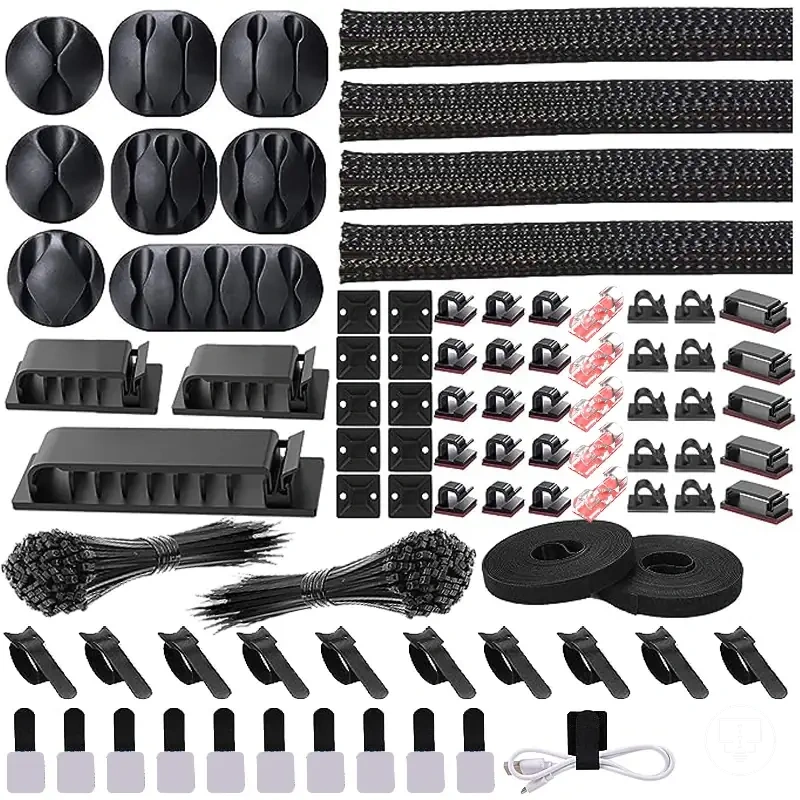
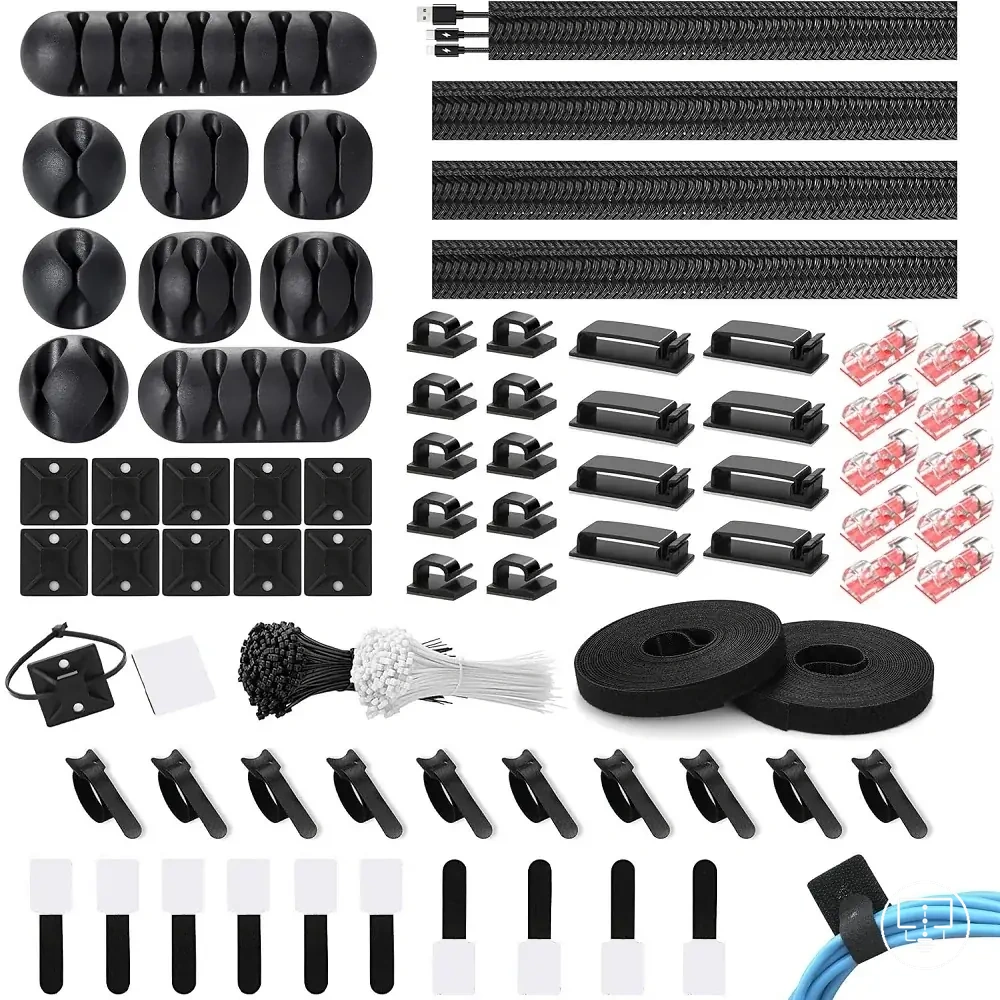
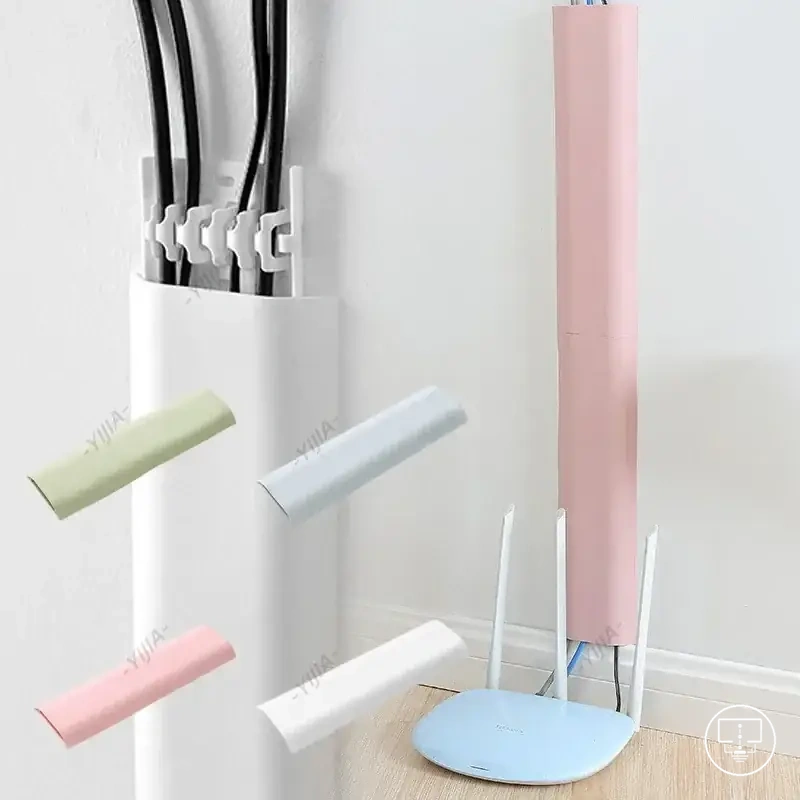
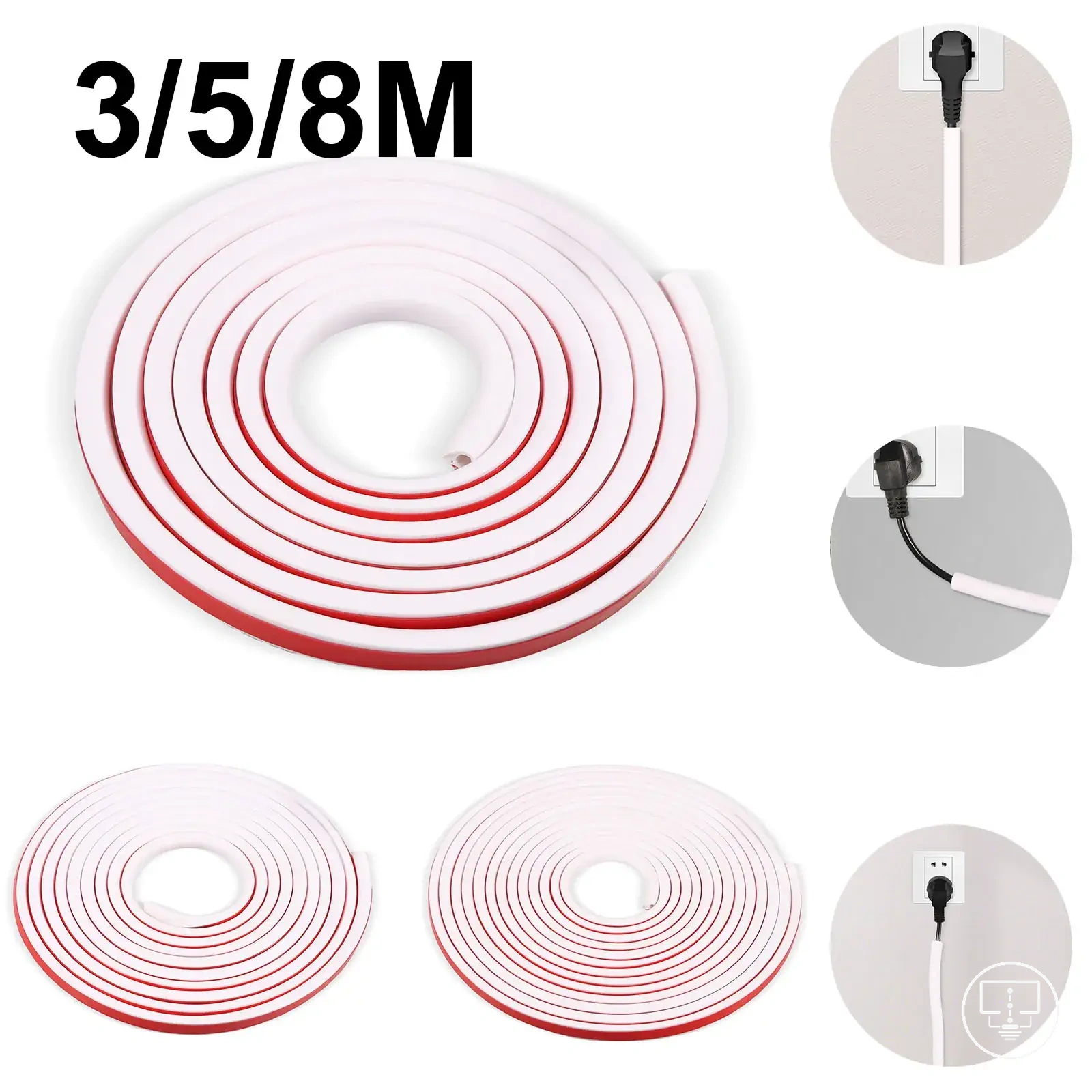
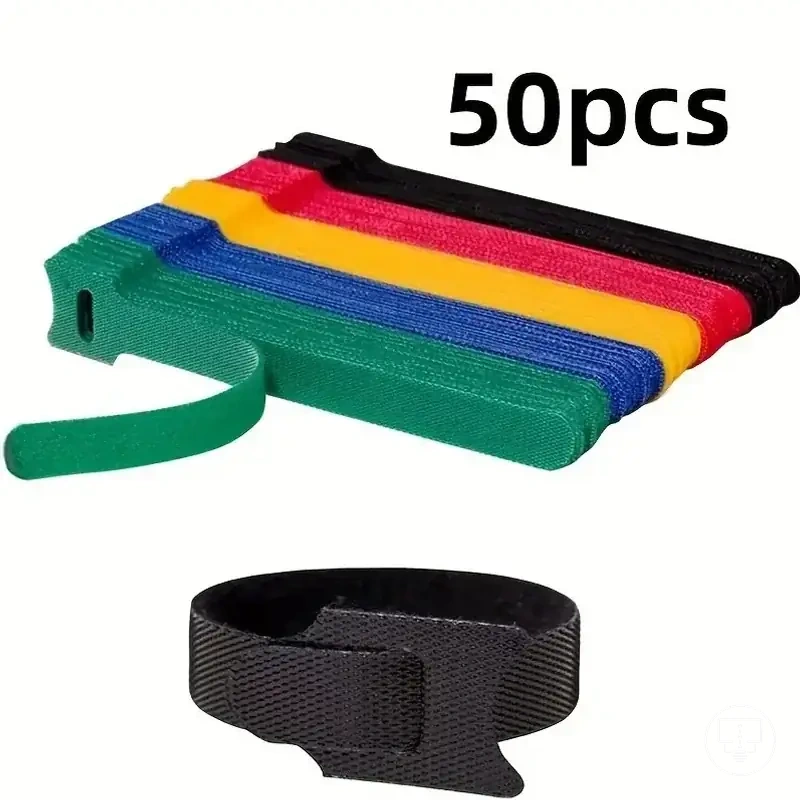
Adhesive, screw-fixed, paintable, and removable options
Adhesive, screw-fixed, paintable, and removable options should be compared by surface suitability, permanence, and likely trade-off. A stick-on cover may suit one wall surface, while a screw-mounted option may be more appropriate when cable load or attachment security matters more than removability. The right option depends on surface, permanence, and cable load.
Adhesive strength can vary by wall surface, especially where a textured wall or heavier cable bundle affects support. Screw security may improve holding strength, but screw fixing can increase wall damage risk and reduce renter suitability. A paintable finish may reduce cable visibility when the cover needs to match the surrounding wall, while a removable cover may suit setups where future changes are expected. The table below compares attachment method, surface suitability, permanence, and trade-off.
| Option | Surface Suitability | Permanence | Likely Trade-off |
|---|---|---|---|
| Adhesive | May suit smoother surfaces where stick-on contact is reliable | Usually less permanent than screw-fixed options | Higher removability, but adhesive strength may vary by surface and cable load |
| Screw-fixed | May suit routes needing stronger support or more secure fixing | More permanent than removable options | Better security, but higher wall damage risk and lower renter suitability |
| Paintable | May suit visible routes where finish and colour matching matter | Depends on the cover and fixing method | Lower visibility, but finish quality depends on surface and paint compatibility |
| Removable | May suit renter-friendly setups or changing cable routes | Lower permanence | More flexible access, but support may be limited by surface and cable load |
Using cable management accessories without blocking ports or ventilation
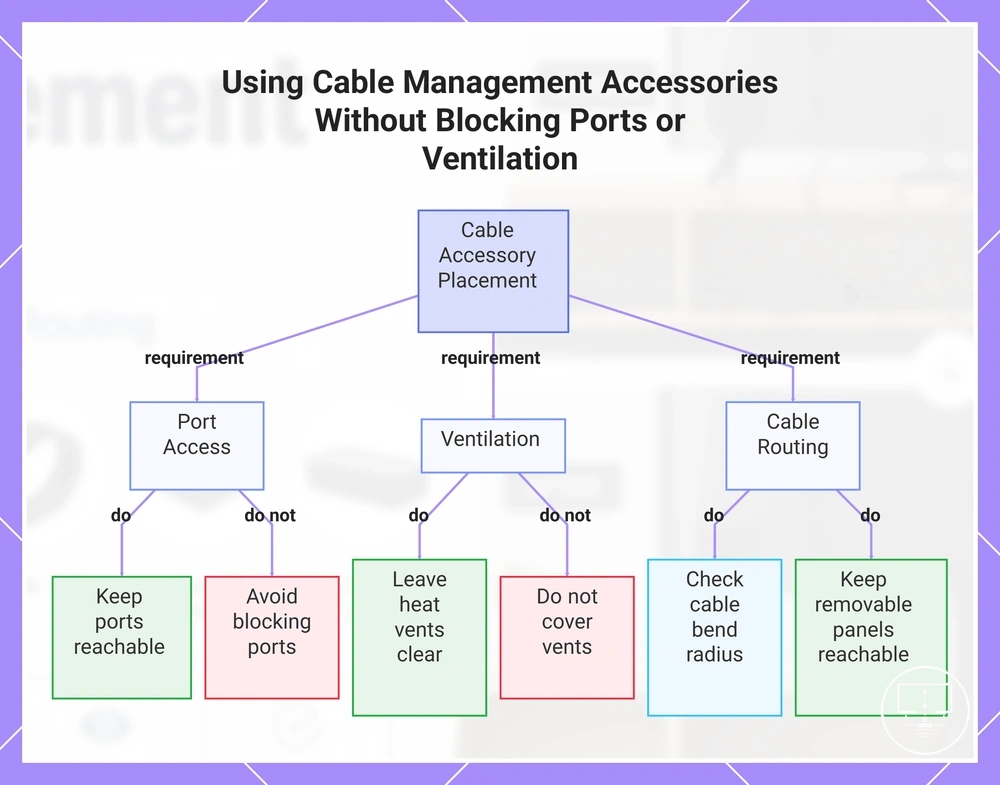
Using cable management accessories should preserve port access, ventilation, airflow, and device usability. A cleaner cable route is only useful when the HDMI port, power port, heat vents, and connected devices remain reachable and usable. Neatness should not reduce access or cooling.
HDMI and power-port access can be affected when covers, clips, sleeves, or boxes are placed too close to connection points. Heat vents may need open space when airflow depends on exposed openings, and cable bend radius may matter where tight routing creates cable strain. Removable panels should remain reachable when future changes, cleaning, or maintenance access are expected. Streaming devices and soundbar cables should be routed so device access remains practical after the accessories are placed.
TVs with rear ports may need more cable clearance behind the screen, while side ports may need a route that does not interfere with plug access. Tight wall clearance can make cable bends and removable panels harder to reach, so accessory placement should be checked before the route is fixed. Use the checklist below to keep cable management accessories from reducing function, airflow, or maintenance access.
- Do preserve port access: Keep HDMI port and power port areas reachable when cables may need to be changed.
- Do leave ventilation space: Keep heat vents clear when airflow or cooling depends on open space around the device.
- Do check cable bend radius: Allow enough cable clearance where tight turns may create strain.
- Do keep removable panels reachable: Place accessories so panels, ports, and device areas can still be accessed for future changes.
- Do account for device cables: Route streaming devices and soundbar cables so connected devices remain usable.
- Do not cover vents: Avoid placing organizers, covers, or boxes where heat vents need open airflow.
- Do not block ports: Avoid routing cables or accessories across HDMI, power, or side-port access points.
- Do not make the route permanent too early: Avoid fixing accessories before checking cable movement, maintenance access, and tight wall clearance.
This chart shows the key do's and don'ts for placing cable management accessories to preserve port access, ventilation, and device usability.
Power cable safety and in-wall routing limits
Power cable safety and in-wall routing limits should be treated as a decision boundary when choosing cable management accessories. A cable route that may be suitable for low-voltage signal cables is not automatically suitable for power cords or mains power connections. Power routing has stricter constraints.
Low-voltage signal cables are often managed with cable covers, sleeves, clips, or similar routing accessories, while power cords can have different routing limits depending on the cable type, wall conditions, and installation method. An in-wall route that may be considered for a signal cable is not necessarily appropriate for a power lead. Where concealed routing is being considered, an in-wall rated kit may be relevant, but suitability depends on the specific route and installation context. The distinction between power and signal cable routing should remain a safety boundary rather than an assumption.
Outlet placement can influence cable length, route complexity, and access requirements around a TV setup. Heat exposure, pinch risk, and cable strain can also affect cable condition when cords are routed through tight spaces, sharp bends, or areas with limited clearance. A cable route should allow reasonable access and avoid conditions that may place unnecessary stress on the cable. These checks help define whether a route remains practical before moving to installation-related decisions.
When wall-cavity access, routing limits, or cable suitability are unclear, qualified help may be appropriate before making permanent routing decisions. Broader guidance on how to install cable management accessories belongs in the installation section rather than within this safety boundary.
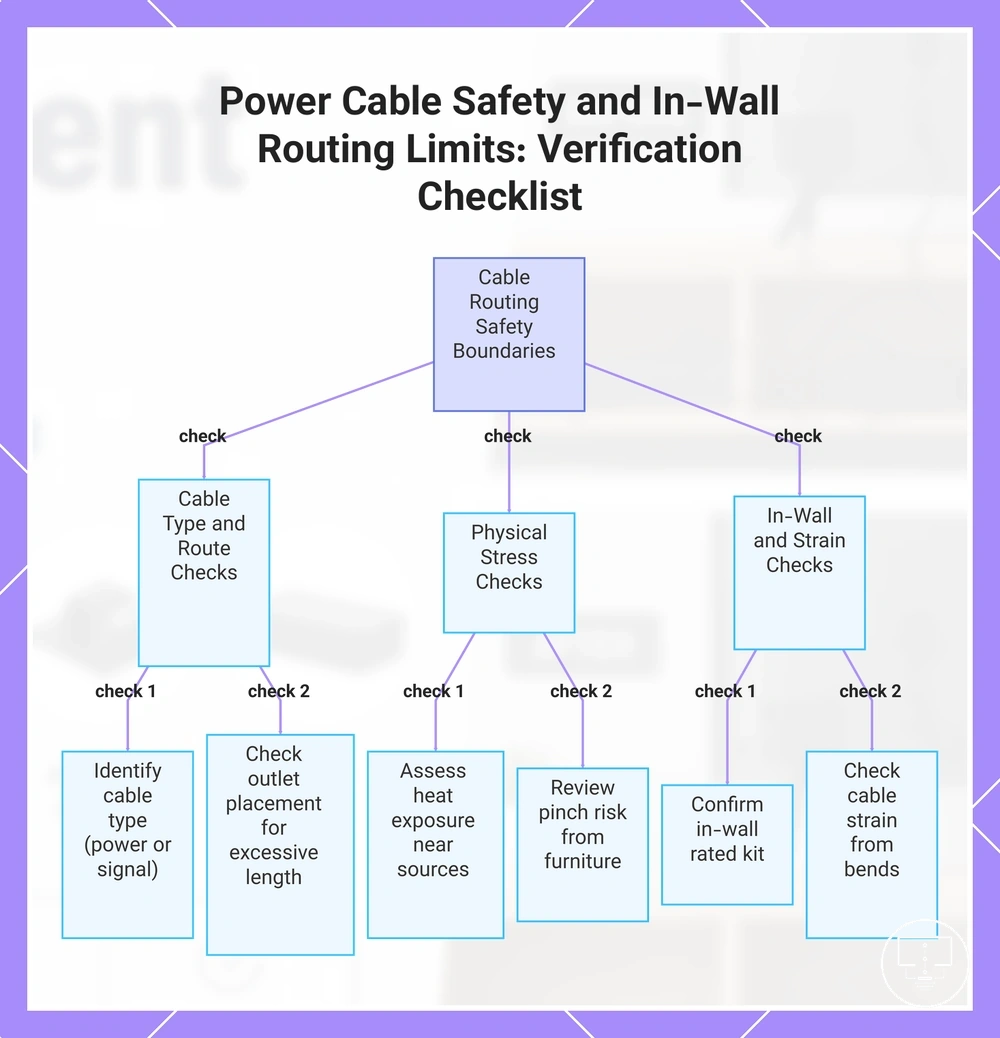
Caution: Power routing and low-voltage cable routing can follow different constraints. The verification checklist below helps confirm whether the planned route stays within appropriate routing limits before accessories are selected.
- Verify cable type: Confirm whether the route involves power cords, low-voltage signal cables, or both.
- Check outlet placement: Verify that cable routing does not depend on unnecessary cable extension or excessive route length.
- Assess heat exposure: Check whether the route passes near heat sources or areas with restricted airflow.
- Review pinch risk: Confirm that furniture, mounts, panels, or wall-clearance conditions do not compress the cable path.
- Check cable strain: Verify that bends, tension, and cable movement do not place unnecessary stress on the cable.
- Confirm in-wall suitability: If an in-wall route is being considered, verify whether an in-wall rated kit or similar routing solution is appropriate for the intended application.
This chart shows the key safety boundaries between power and signal cable routing and the verification checks to ensure a route stays within appropriate limits before selecting accessories.
Cable management accessories worth comparing before a purchase
Comparing cable management accessories depends on the intended cable route, access requirements, capacity needs, and safety boundaries already identified. Different accessory categories solve different cable-management problems, so a purchase decision should follow usage, fit, and safety checks rather than appearance alone. Comparison should happen after usage, fit, and safety checks.
To compare cable management accessories effectively, evaluate each accessory category by best use, strengths, limits, and decision signal. This approach connects accessory attributes to real setup conditions instead of focusing on a single feature. The table below compares common accessory categories using that decision framework.
| Accessory Category | Best Use | Strengths | Limits | Decision Signal |
|---|---|---|---|---|
| Cable covers | Visible wall routes | Can improve appearance and cable concealment | Capacity depends on route size and cable bundle | Consider when wall-route appearance is a priority |
| Sleeves | Bundling multiple cables | Can group cables into a single path | Access may be reduced when frequent cable changes are needed | Consider when cable grouping is the primary goal |
| Clips | Cable positioning and route control | Can guide cables along furniture or wall surfaces | Containment capacity is usually limited | Consider when cable placement matters more than concealment |
| Ties | Cable organization | Can help manage excess cable length and grouping | Do not conceal cables by themselves | Consider when access and organization are priorities |
| Boxes | Cable and power-strip containment | Can reduce visible cable clutter around devices | Require available floor or furniture space | Consider when containment is needed around equipment areas |
| Under-TV organizers | Furniture-based cable management | Can support containment while preserving device access | Fit depends on available mounting or furniture space | Consider when cables collect beneath a TV or display area |
| In-wall kits | Concealed routing | Can reduce visible cable exposure | Subject to routing limits, access constraints, and suitability checks | Consider only when in-wall routing conditions are appropriate |
Appearance, removability, capacity, safety, and access are the main attributes to evaluate across accessory categories. A cable cover may place more emphasis on appearance and wall-route presentation, while sleeves, clips, and ties often focus on grouping and access. Boxes and under-TV organizers typically emphasize containment and cleaning access, while in-wall kits place greater emphasis on safety, permanence, and routing limits. These attributes provide the core decision framework.
Trade-offs are easier to weigh when each accessory category is matched to a specific condition rather than treated as a universal option. An accessory that supports appearance may involve different removability considerations, while an accessory focused on containment may depend on available space and access needs. The goal is to evaluate the attribute against the intended setup condition.
If appearance is the primary purchase signal, cable covers or in-wall kits may be worth comparing when route conditions support them. If removability, capacity, grouping, or access matters more, sleeves, clips, ties, boxes, or under-TV organizers may provide a stronger decision signal. The final purchase decision depends on which attribute remains most important for the intended cable route and setup condition.
Here are product examples that may make comparison easier. Before buying, always review the compatibility criteria, essential features, and product details.