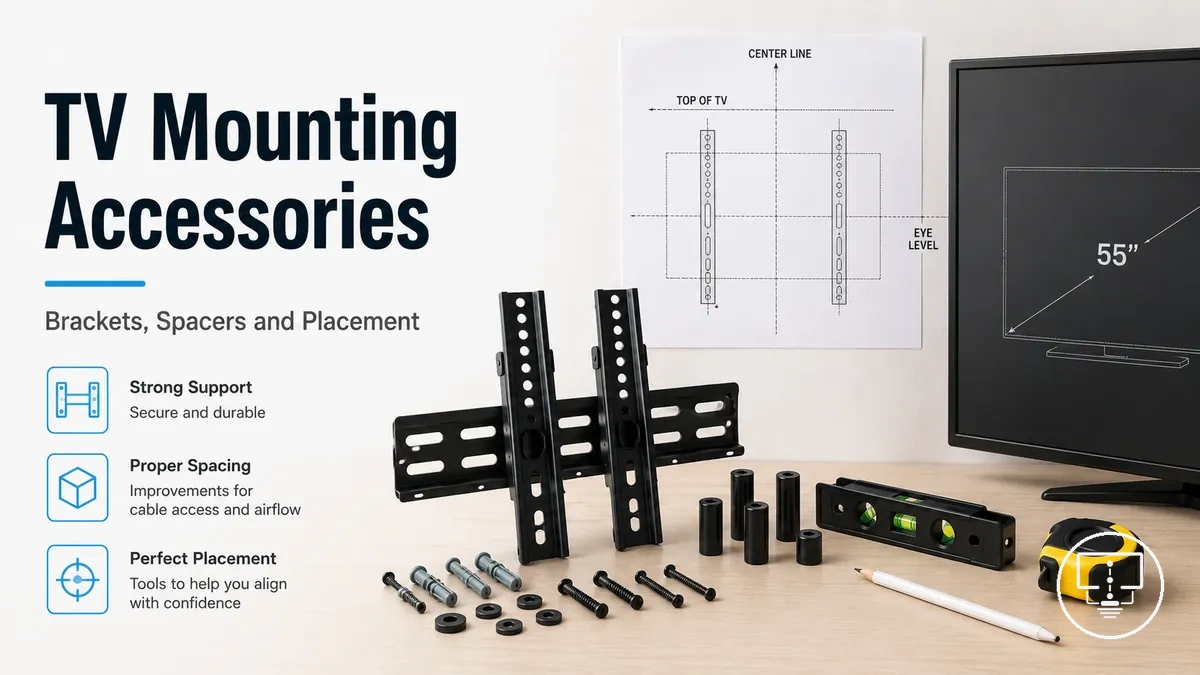
TV mounting and placement accessories for secure fit and viewing position
TV mounting and placement accessories are hardware components used to support, position, and secure a television so it fits safely in a space and aligns with the intended viewing angle. These accessories typically include mounts, risers, anti-tip straps, spacers, screws, and related fit hardware, all working together to stabilize the TV based on its physical and installation context.
The selection and effectiveness of TV mounting and placement accessories depend on several conditions, including TV size, weight, VESA pattern, wall or furniture structure, and the desired viewing position. Because these factors vary across setups, secure fit and viewing comfort are achieved through matching the right combination of accessories to the specific installation environment rather than relying on a single universal configuration.
- Wall mounts for fixed or adjustable positioning
- Risers for height adjustment on furniture
- Anti-tip straps for added stability
- Spacers for clearance and alignment support
- Screws and mounting hardware for structural fit
What TV mounting and placement accessories include
TV mounting and placement accessories are parts that help position, support, secure, or adapt a TV in a room as part of its mounting setup context.
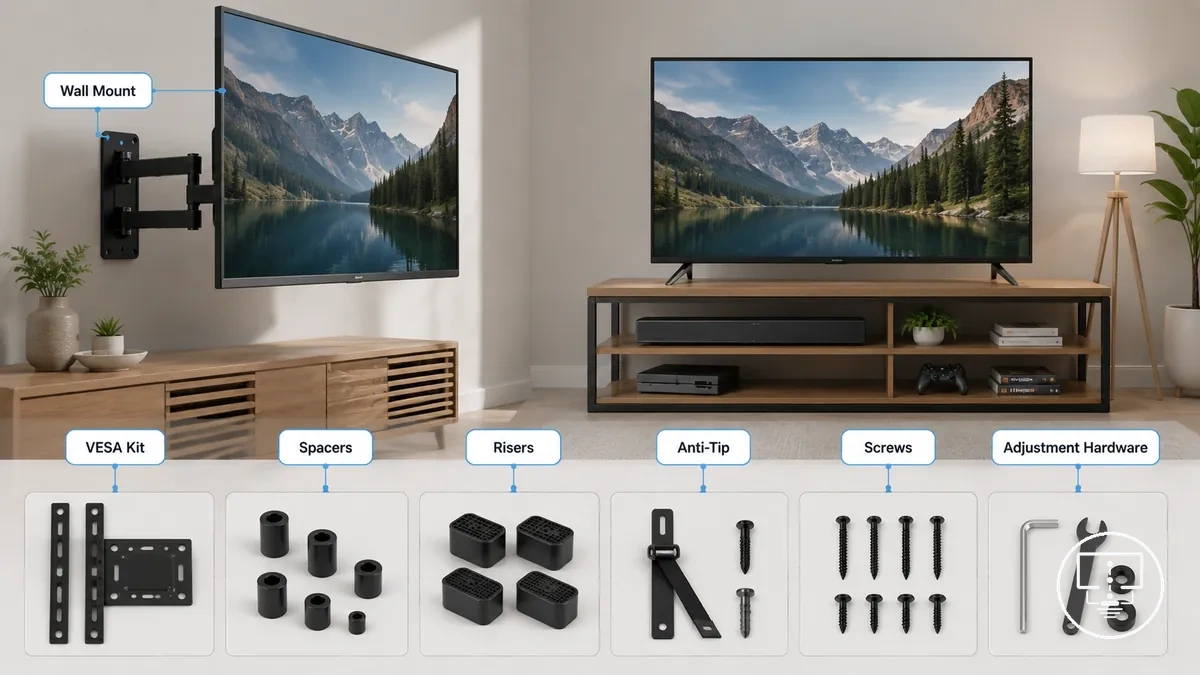
- Mounting brackets for wall attachment and positioning support
- Mounting screws for securing the TV or bracket to compatible points
- VESA kits for alignment between TV back patterns and mounts
- Spacers for clearance, spacing, and back-panel alignment adjustments
- Risers for adjusting TV height on furniture surfaces
- Anti-tip straps for stabilizing TVs on stands or cabinets
- Mounting plates for structural connection between surfaces and displays
- Adjustment hardware for angle, tilt, or positioning refinement
This explanation is part of the broader TV setup accessories context, while detailed installation order and wider accessory groupings are outside this grounding definition of what TV mounting and placement accessories include.
Wall mount, stand, and placement accessory types
Wall mount, stand, and placement accessory types are grouped based on the physical support point they use to secure or position a TV, with each group varying by load handling, adjustability, clearance control, and safety role.
The following visual compares these accessory types by their support structure and functional role in a setup.
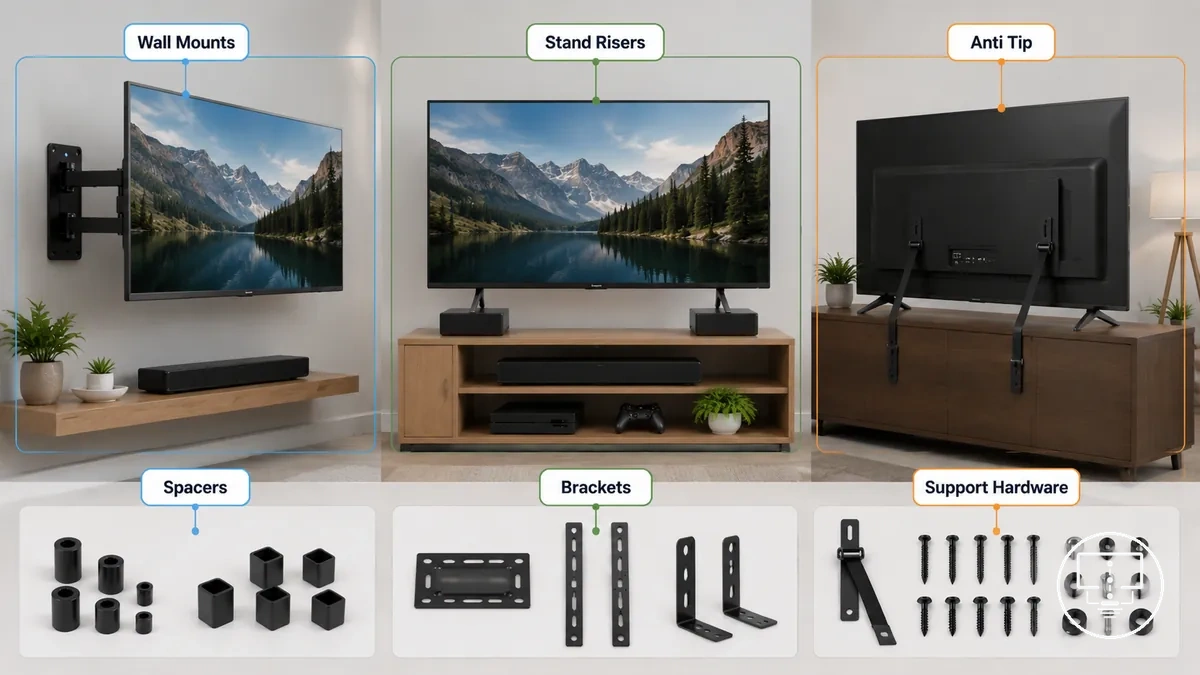
| Accessory Family | Support Role | Adjustability | Clearance Function | Safety Role |
|---|---|---|---|---|
| Wall Mounts | Wall attachment support | High/medium adjustability | Wall clearance control | Stabilizes vertical load |
| Stand Risers | Furniture elevation support | Low/medium adjustability | Height adjustment on furniture | Reduces strain and improves viewing angle |
| Anti-tip Straps | Rear anchoring support | Low adjustability | Minimal clearance role | Helps prevent tipping on furniture |
| Spacers | Gap alignment support | Low adjustability | Back-panel clearance | Improves fit alignment |
| Screws & Brackets | Structural fastening support | Variable adjustability | Connection fit alignment | Ensures secure fixation |
| Support Hardware | Reinforcement support | Variable adjustability | Situational clearance | Reinforces stability |
Fixed, tilting, swivel, and full-motion wall mounts
Fixed, tilting, swivel, and full-motion wall mounts are mount variants defined by their movement range, which affects viewing angle control, wall clearance, and access behind the TV depending on room layout and seating position.
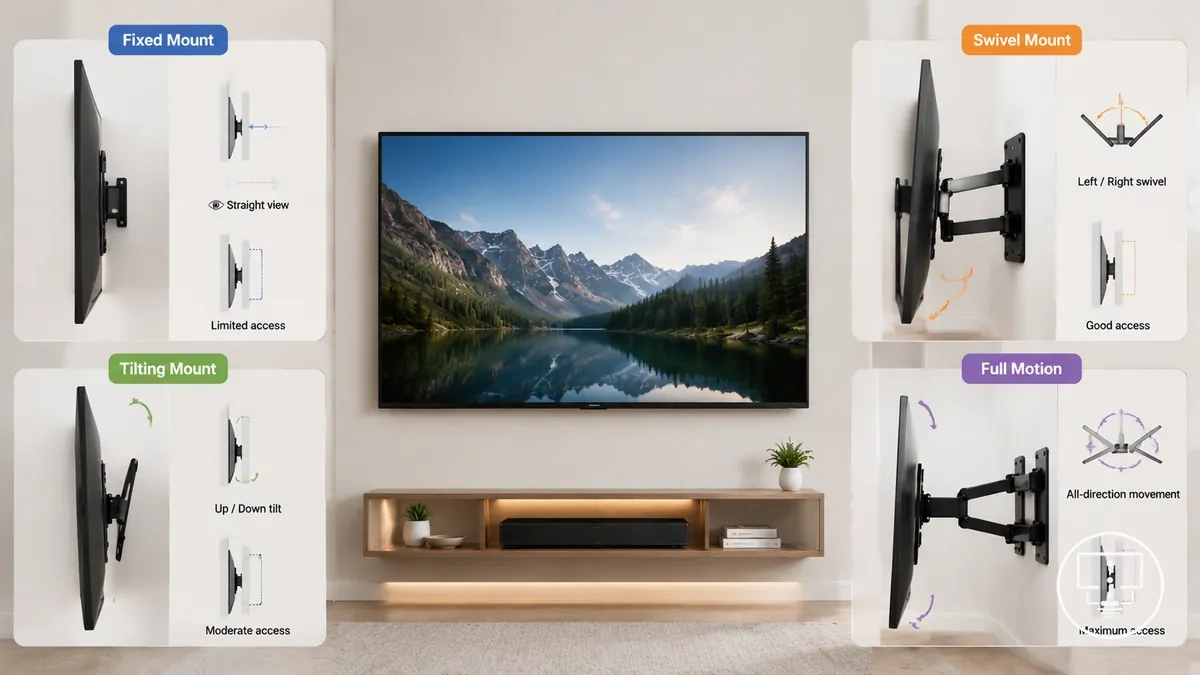
Movement differences determine how the TV can be positioned in relation to the wall, including how much adjustment is available for viewing angle and how easily rear access can be managed during setup or cable changes.
| Mount Type | Movement Range | Wall Clearance | Installation Complexity | Typical Use Context |
|---|---|---|---|---|
| Fixed | No movement | Minimal clearance | Low | Stable viewing position |
| Tilting | Vertical angle adjustment | Low to moderate | Low to medium | Height-based viewing adjustment needs |
| Swivel | Horizontal rotation | Moderate | Medium | Side-angle viewing flexibility |
| Full-motion | Multi-direction movement | High | High | Flexible viewing and access requirements |
Stand risers, anti-tip straps, and furniture-based supports
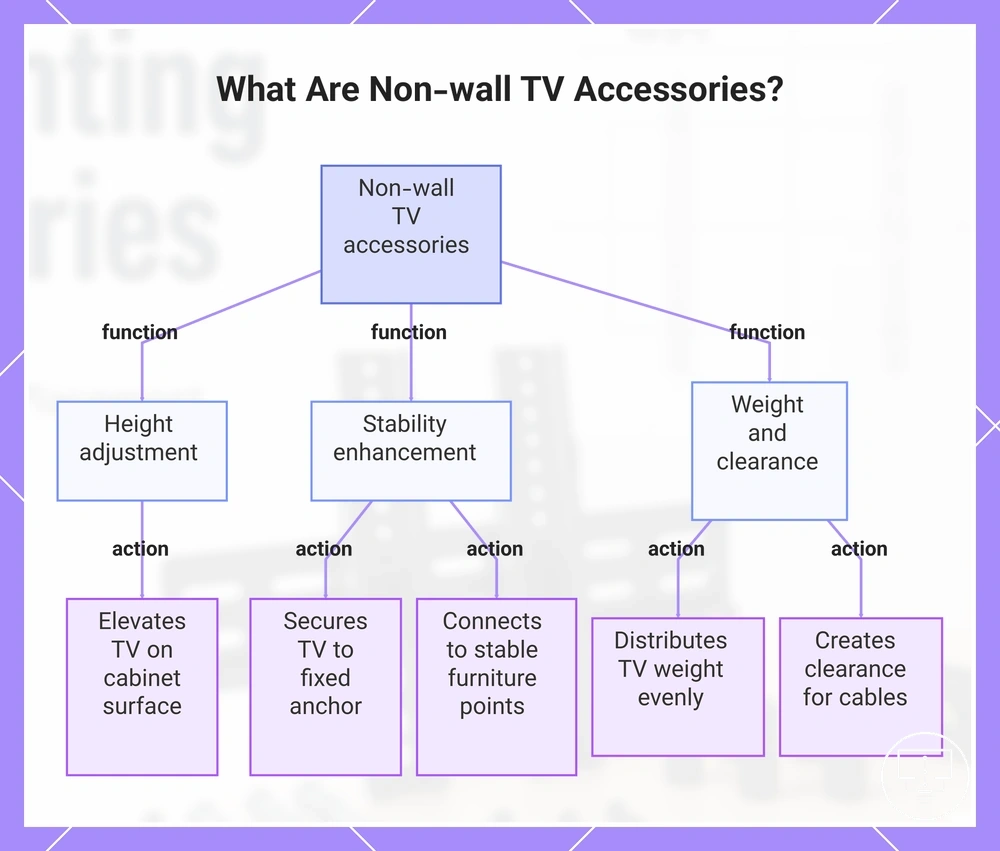
Stand risers, anti-tip straps, and furniture-based supports are non-wall accessories that adjust TV height, stability, and clearance in furniture-based or mixed placement setups.
- Stand risers adjust viewing height by elevating the TV on a cabinet or tabletop surface.
- Anti-tip straps improve stability by securing the TV or stand to a fixed furniture anchor point.
- Furniture anchoring supports reduce movement risk by connecting the setup to stable furniture structure points.
- Tabletop support components help distribute TV weight more evenly across flat surfaces.
- Spacing accessories create small clearance gaps for cable routing and rear access where needed.
This chart shows the main types of non-wall TV accessories and their specific functions for adjusting height, stability, and clearance.
Sizing factors for TV mounting accessories
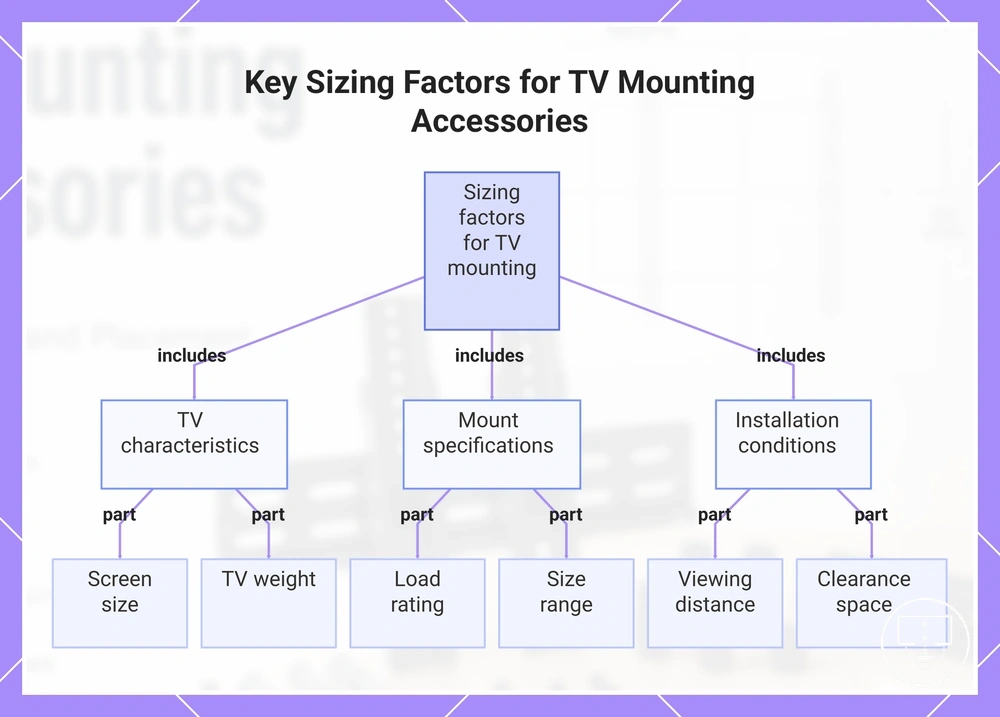
Sizing factors for TV mounting accessories depend on the relationship between TV dimensions, weight load, mount capacity, and clearance conditions, since each variable determines whether the mounting system can safely and physically align with the display.
Screen size alone is not sufficient for compatibility because mounting suitability is also influenced by TV weight, bracket range, extension capability, and installation-space clearance, all of which affect structural fit and viewing alignment.
Mounting selection is therefore based on combined size-related conditions rather than a single measurement, where each factor contributes to fit accuracy, stability, access, and viewing outcome.
The key sizing variables used for evaluation are outlined below as practical criteria for assessing suitability:
- TV screen size: affects bracket coverage and overall mounting balance on the display back panel
- TV weight: determines whether the mount can support the load within its rated capacity
- Mount load rating: defines the maximum supported weight for structural safety
- Mount size range: indicates compatibility with different screen dimensions
- Bracket width: influences alignment with the TV’s rear mounting pattern
- Extension range: controls how far the TV can extend from the wall surface
- Viewing distance: impacts perceived screen size and optimal viewing position
- Clearance space: affects cable routing, ventilation, and movement allowance
This chart summarizes the key sizing factors for TV mounting accessories, grouped by TV attributes, mount specifications, and installation conditions.
TV screen size, weight, and mount load rating
TV screen size, weight, and mount load rating must be evaluated together because screen size alone does not confirm whether a mount can safely support the display or maintain stable alignment under load conditions.
Mount suitability depends on how diagonal screen size, actual TV weight, and the mount’s rated load capacity interact, since each variable contributes differently to physical fit and structural safety.
| Sizing Variable | Role in Fit | Safety / Compatibility Meaning |
|---|---|---|
| TV screen size | Indicates display dimensions | Does not guarantee load safety without weight check |
| TV weight | Defines actual load demand | Must remain within mount capacity limits |
| Mount load rating | Maximum supported weight threshold | Primary safety constraint for installation |
| VESA range | Back panel mounting pattern compatibility | Affects physical attachment alignment |
| Support surface | Wall or furniture mounting base | Influences overall stability conditions |
An edge case occurs with older or heavier-than-typical TVs where screen size may appear compatible, but weight exceeds expected limits, making load rating the primary deciding factor rather than dimensions alone.
Mount size range and room clearance
Mount size range and room clearance determine whether a TV mounting accessory can function correctly within a real installation space, since bracket dimensions and movement limits must align with available wall area, furniture depth, and surrounding obstacles.
Clearance conditions affect how usable a mount becomes in practice because bracket width, arm extension, and tilt movement require physical space to operate without restriction or collision with nearby surfaces.
- Bracket width: must match usable wall or surface mounting area
- Arm extension: must fit available forward space without blocking movement paths
- Tilt space: must remain free of obstruction from wall edges or furniture
- Walkways near TV: must stay clear when the mount is extended or adjusted
- Furniture depth: must support stable positioning without overhang interference
- Distance from ports or wall plates: must allow cable access and connection clearance
In compact layouts, clearance constraints often determine whether a low-profile, tilting, or swivel mount is practical, as shown in a small room TV setup where limited space reduces usable movement range and increases dependence on tighter-fitting mount designs.
VESA fit, screws, spacers, and mounting hardware
VESA fit, screws, spacers, and mounting hardware define how a TV physically connects to a mount, since compatibility depends on alignment between the TV’s rear pattern and the fastening components used to secure it.
Hardware compatibility is determined by how VESA spacing, screw type, bolt length, spacers, and adapter plates interact with the TV back panel and bracket hole layout, where each mismatch can prevent secure attachment or create uneven load distribution.
| Hardware Element | Fit Variable | Mismatch Outcome |
|---|---|---|
| VESA pattern | Hole spacing alignment | Bracket cannot align with mounting points |
| Screws | Thread type and length | Loose fixation or incomplete fastening |
| Spacers | Depth adjustment between TV and bracket | Uneven pressure or poor seating contact |
| Adapter plates | Conversion between VESA layouts | Partial fit or reduced stability |
| Bracket holes | Structural alignment points | Mount instability or misalignment |
| Back-panel depth | Clearance for fasteners | Improper screw engagement or stress points |
Hardware kits may combine multiple parts, but compatibility still depends on verifying TV back-panel requirements and mount specifications, since mismatches commonly occur when screw length or VESA spacing is not correctly matched to the display design.
This section supports selection and compatibility decisions rather than installation steps, focusing on how hardware variables affect mounting fit outcomes.
VESA pattern, adapter plates, and extender kits
VESA pattern matching is a local compatibility check that ensures the TV’s hole spacing aligns with the mount bracket range, making it the primary condition for physical attachment in a mounting setup.
Compatibility depends on how VESA hole spacing, bracket range, and TV back-panel layout align, while adapter plates and extender kits are used only when direct alignment is not possible within the standard mounting configuration.
- Hole spacing: must match the mount’s VESA pattern range
- Bracket range: defines allowable adjustment between mounting points
- TV back-panel layout: determines accessibility and alignment of VESA holes
- Adapter plates: modify VESA compatibility when patterns do not directly match
- Extender kits: increase reach when spacing exceeds bracket limitations
Adapter plates can resolve certain VESA mismatches by bridging pattern differences, but they cannot compensate for weight rating limits or wall-support constraints, which remain separate structural requirements.
Screw size, bolt length, washers, and spacer depth
Screw size, bolt length, washers, and spacer depth depend on the TV back-panel design and mount specification, since secure fastening requires correct alignment between thread type, material depth, and bracket contact points.
Hardware fit is determined by how screw length, washer use, and spacer depth interact with recessed or curved TV back panels, where incorrect selection can reduce stability or create unsafe pressure on the display surface.
Mini-checklist for compatibility:
- Thread size must match the TV mounting insert specification
- Bolt length must align with back-panel depth without excess penetration risk
- Washer use must support even load distribution at contact points
- Spacer depth must compensate for recessed or curved back-panel geometry
- Recessed panels must be checked for required extension clearance before fastening
- Curved backs must be evaluated for stable bracket contact alignment
- Over-tightening risk must be avoided to prevent internal mounting stress
Correct hardware selection should always follow manufacturer guidance, since uncertain screw fit or spacer depth can affect secure mounting and may require verification against the TV manual or the mount kit specifications.
Placement height, viewing angle, and screen position
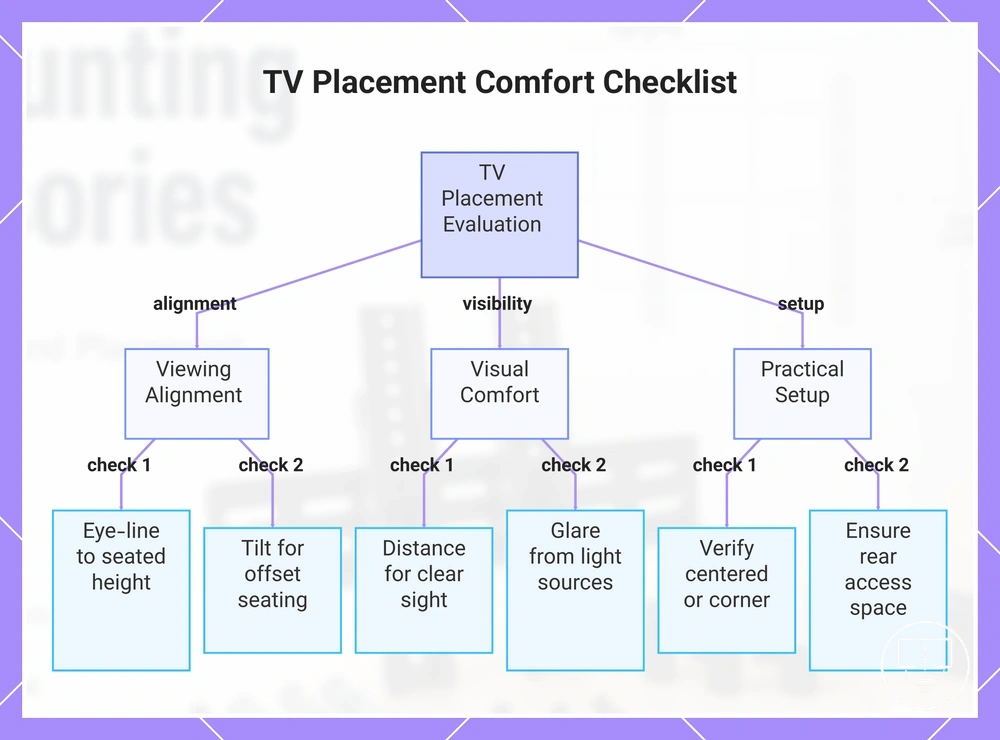
Placement height, viewing angle, and screen position depend on seating height, room layout, screen size, and mount movement capability, since these conditions determine how closely the display aligns with the viewer’s natural eye-line.
Viewing comfort changes when eye-line alignment, tilt direction, or screen position does not match the seating setup, especially where furniture height or wall position forces the screen above or below direct viewing level.
Placement evaluation checklist:
- Eye-line alignment: check whether screen centre aligns with seated viewing height
- Seating height: confirm primary seating position matches screen placement level
- Viewing distance: ensure distance supports clear visibility without strain
- Tilt angle: adjust when screen position is above or below eye level
- Glare control: check impact of light sources on screen visibility
- Furniture height: confirm surface height does not force awkward viewing angle
- Screen position: verify centered or corner placement based on room layout
- Cable reach: ensure cables can connect without strain or tight pulling
- Access behind TV: confirm space allows adjustment and maintenance
In layouts where seating is offset or multiple viewing positions exist, tilt or swivel adjustment may become more relevant to maintain consistent visibility across different angles of use.
This chart shows the key evaluation checks for optimal TV placement, covering alignment, visibility, and setup factors.
Choosing between fixed, tilting, and swivel TV mounts
Choosing between fixed, tilting, and swivel TV mounts depends on viewing position, access requirements, and room layout constraints, since each mount type changes how the screen aligns with seating, wall clearance, and cable accessibility.
The decision is a trade-off between low-profile installation, angle adjustment, and flexible screen movement, where different mount types support different priorities such as stability, glare control, or multi-position viewing.
| Mount Type | Movement | Key Trade-off | Wall Stress / Clearance | Best-use Conditions |
|---|---|---|---|---|
| Fixed | No movement | Minimal profile and tight wall contact | Lowest extension and stress | Stable viewing position with no adjustment need |
| Tilting | Vertical angle adjustment | Improves viewing angle with limited extension | Low to moderate wall clearance | High placement or glare reduction needs |
| Swivel | Horizontal rotation | Greater viewing flexibility | Moderate wall clearance requirement | Side seating or multiple viewing angles |
| Full-motion | Multi-direction movement | Maximum flexibility with higher complexity | Higher wall stress and extension | Changing viewing positions or multi-seat rooms |
Decision signals typically depend on real usage conditions: fixed mounts may suit renters or minimal-access setups, tilting mounts often support high-wall or glare-sensitive placements, swivel mounts may fit layouts with side seating, and full-motion mounts are more relevant when viewing positions frequently change across the room.
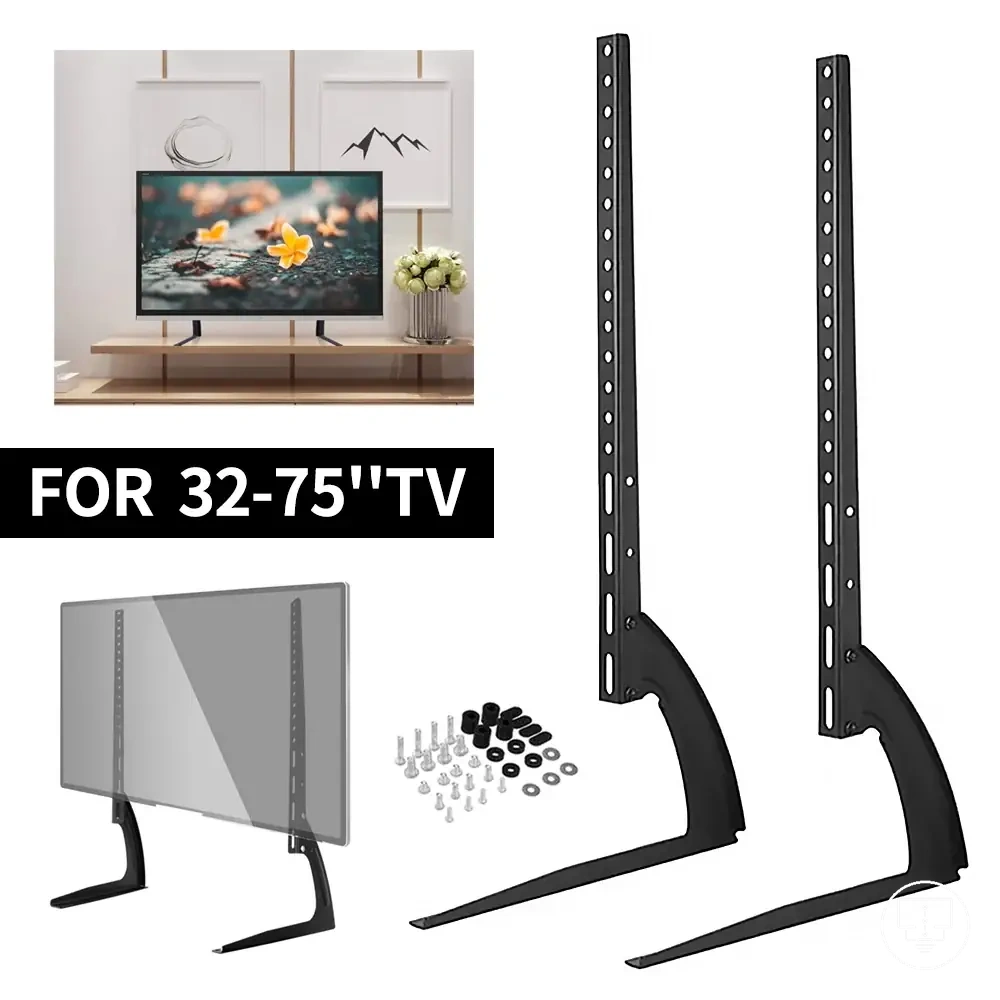
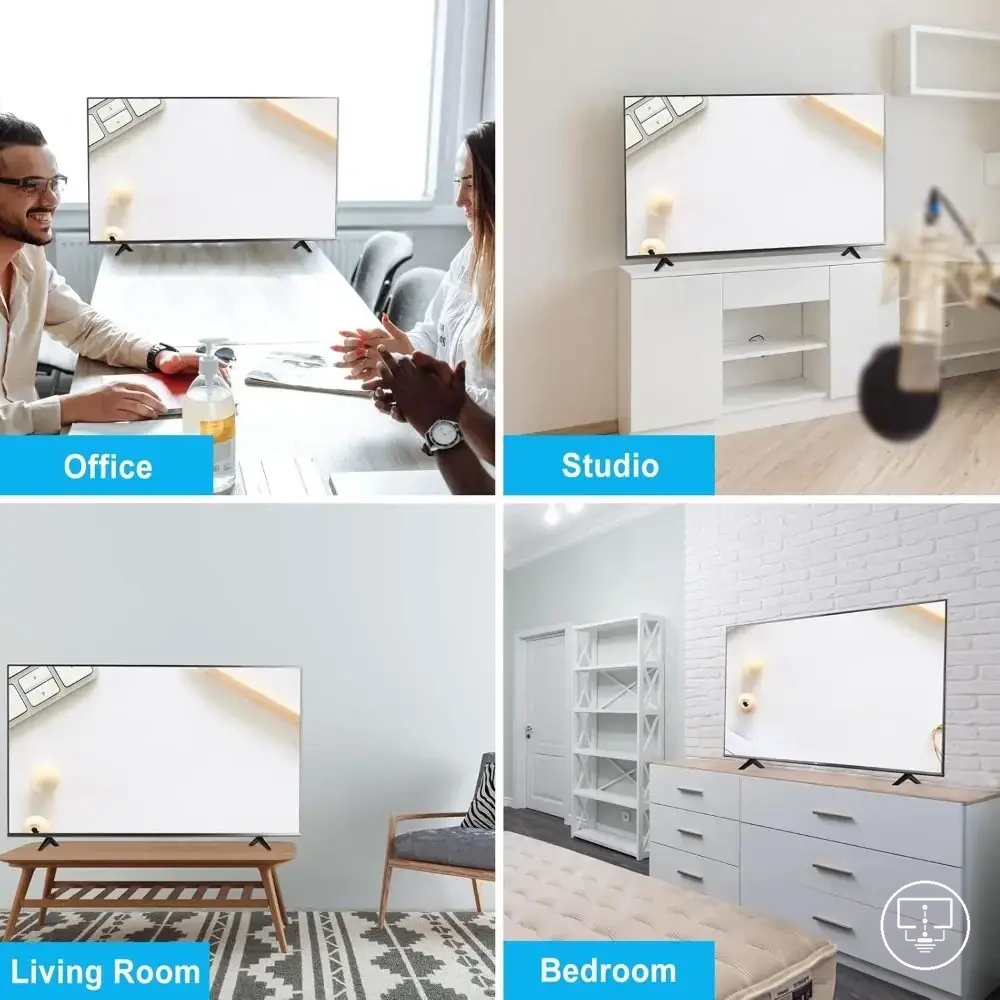
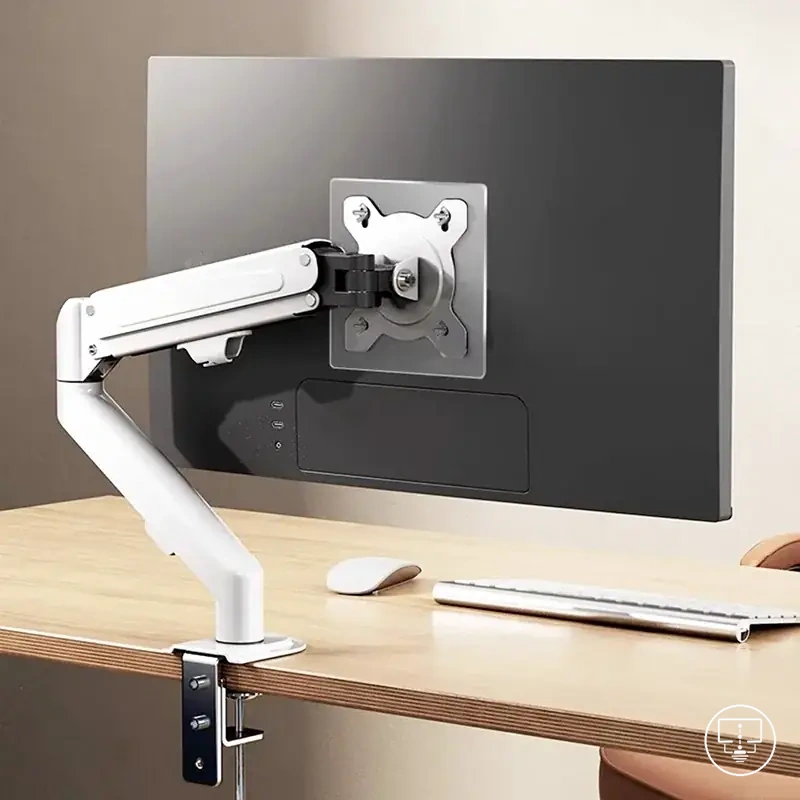
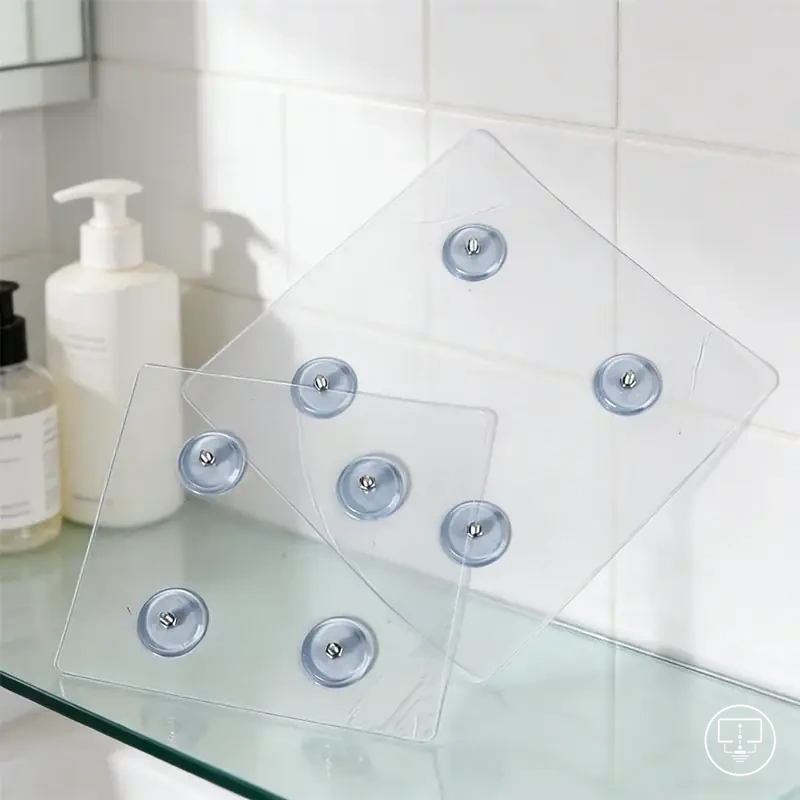
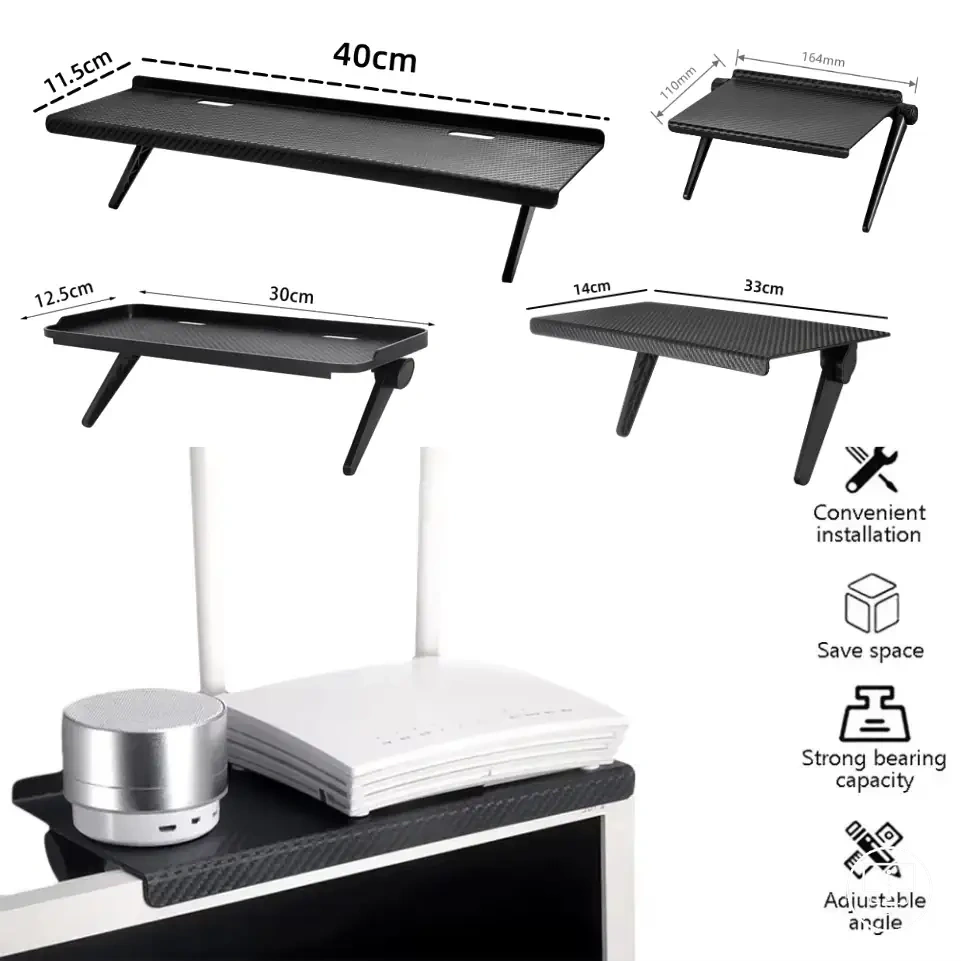
The products below are useful examples for comparing available options. Before buying, check that the compatibility criteria, key features, and product details match your needs.
Mounting compatibility checks before buying accessories
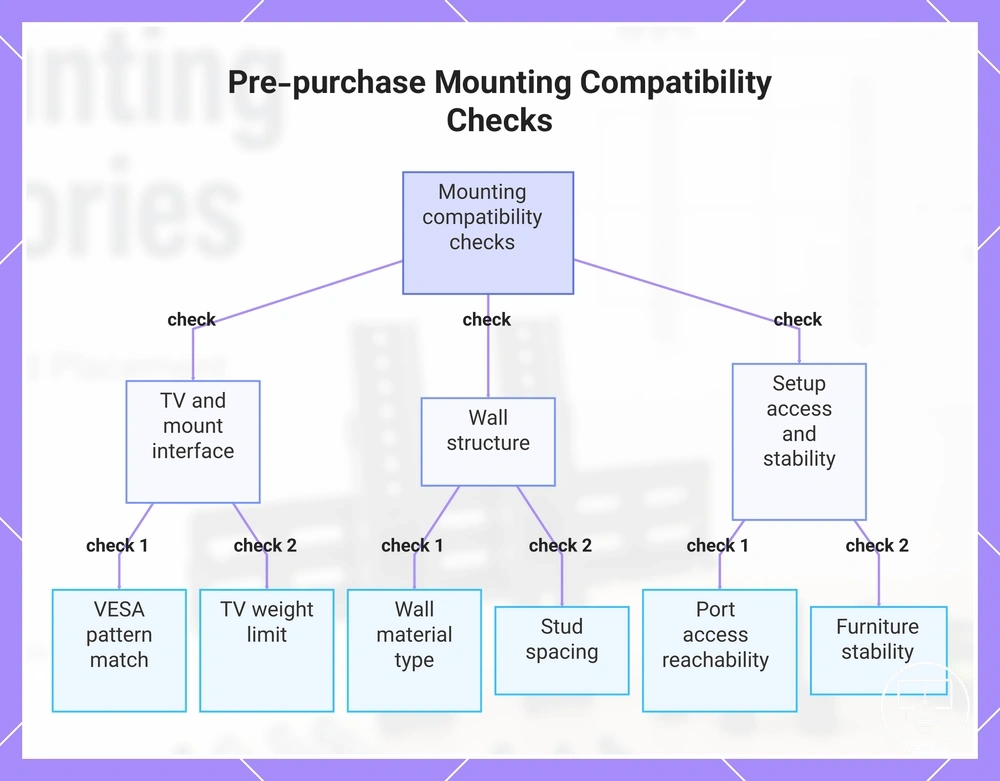
Mounting compatibility checks depend on confirming TV, wall, hardware, cable, and furniture conditions before purchase, since these combined factors determine whether a mount can safely and physically fit the intended setup.
Pre-buy verification reduces mismatch risk by validating key constraints early, rather than discovering limitations during installation where adjustments are more restricted.
Pre-purchase compatibility checklist:
- VESA match: confirms bracket hole pattern alignment with the TV mounting interface
- Screen size: ensures the mount supports the display range without overextension or undersizing
- TV weight: verifies the load remains within the mount’s rated capacity for safe support
- Wall material: determines whether the surface can structurally support the mounting load
- Stud spacing: affects anchor positioning and overall mounting stability on wall structures
- Anchors: must match wall type to maintain secure and stable fixation conditions
- Port access: ensures HDMI and power connections remain reachable after mounting
- Bracket clearance: confirms space for proper fit and movement without obstruction
- Furniture stability: ensures supporting surfaces remain stable under load in non-wall setups
This verification step focuses only on purchase readiness and compatibility conditions. The detailed installation order belongs to a separate context such as install TV setup accessories.
This chart shows the key pre-purchase checks to verify TV mount compatibility, grouped by TV interface, wall structure, and setup access.
Wall material, stud spacing, and anchor suitability
Wall material, stud spacing, and anchor suitability determine whether a TV mount can be securely supported, since load stability depends on how weight transfers through studs, anchors, and the wall structure itself.
Compatibility is defined by how the wall surface and framing system align with mounting requirements, while anchor choice must match the material to reduce the risk of weak or unstable fixation.
Structural compatibility checks:
- Wall material: determines whether mounting is into timber studs, steel framing, brick, or plasterboard surfaces
- Stud spacing: affects where secure mounting points can be positioned within the wall structure
- Stud alignment: confirms whether bracket positions can be fixed directly into structural supports
- Anchor suitability: ensures correct anchor type is used when direct stud fixing is not available
- Load distribution: verifies weight is transferred into structural elements rather than surface layers
- Bracket width: must align with available stud or anchor spacing for stable installation points
In situations where wall structure is uncertain or the TV is relatively heavy compared to typical loads, verification of wall strength and mounting points becomes more critical before proceeding with accessory selection.
Cable clearance, port access, and bracket spacing
Cable clearance, port access, and bracket spacing define how usable the TV remains after mounting, since accessibility depends on available space for cable bend radius, reach to connection points, and physical separation from the wall.
Clearance conditions vary by mount depth and port layout, where tight spacing can limit cable insertion, restrict access to recessed ports, and reduce the ability to service connections without repositioning the display.
Usability checks:
- Recessed ports: condition may reduce direct reach and require additional spacing to access connectors
- Side-facing ports: condition improves accessibility but depends on bracket offset and wall distance
- Low-profile mounts: condition can restrict cable bend radius due to minimal wall clearance
- Spacers: condition may increase clearance when port reach is limited by tight mounting depth
- Right-angle adapters: condition can reduce cable strain in constrained rear-space environments
- Wall plates: condition may influence routing space and rear cable organization behind the display
- Bracket offsets: condition determines how far the TV sits from the wall, affecting access depth
In setups where clearance is restricted, spacers or a tilting mount may preserve port access without changing the overall mounting choice, depending on how much additional depth is required for safe connection handling.
Safety and fit risks with incorrect mounting accessories
Safety and fit risks with incorrect mounting accessories arise when mounting hardware, placement components, or structural conditions do not match the TV, wall, or furniture requirements, which can affect stability and load support.
Risk conditions typically emerge when load rating, fastening depth, and support surface strength are not aligned, increasing the chance of unstable positioning or restricted usability depending on installation context.
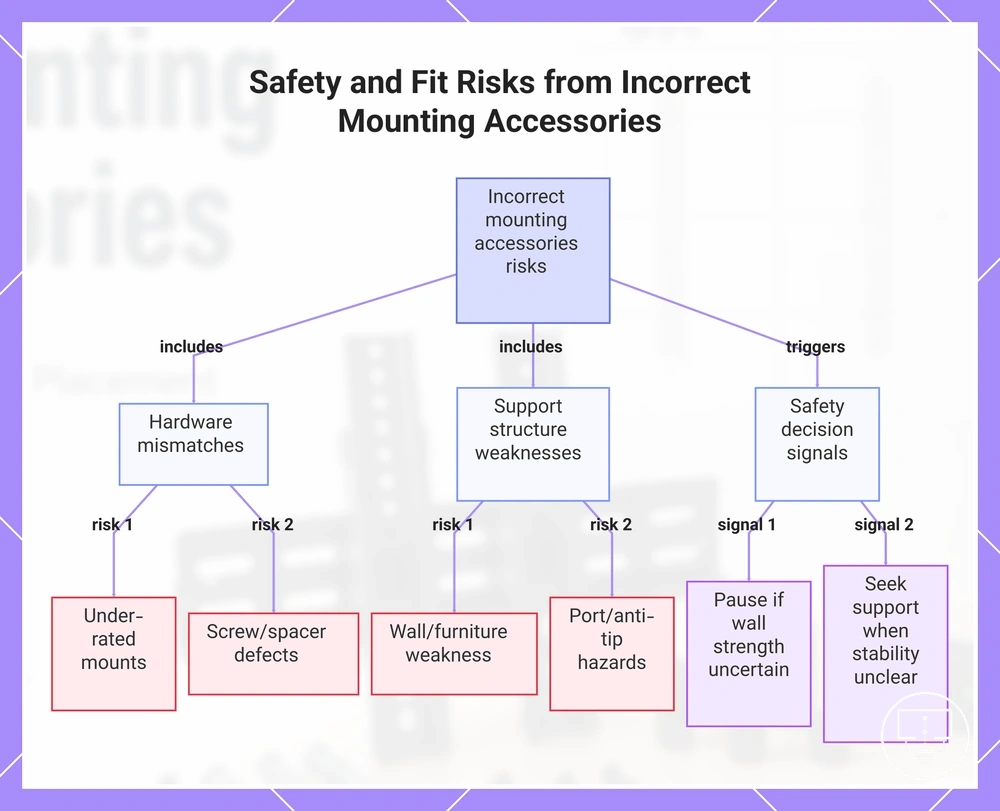
Risk checklist:
- Under-rated mounts: condition may reduce support capacity relative to TV weight requirements
- Wrong screw length: condition can weaken fixation or create unsafe internal pressure on mounting points
- Missing spacers: condition may prevent proper alignment and increase structural strain at contact points
- Poor wall support: condition can reduce stability depending on wall material and anchoring quality
- Unstable furniture: condition may increase tipping or shifting risk in non-wall installations
- Blocked ports: condition can restrict access and create strain on connected cables
- Anti-tip needs: condition may become relevant where placement height or position increases forward movement risk
Decision signals include pausing installation when wall strength or mounting fit is uncertain, re-checking hardware compatibility when alignment is unclear, and seeking qualified installation support when load support or stability cannot be confidently confirmed. In cases where compatibility or safety is unclear, it is important to avoid setup mistakes before proceeding further.
This chart categorizes the key risk conditions and decision signals associated with incorrect mounting accessories.