
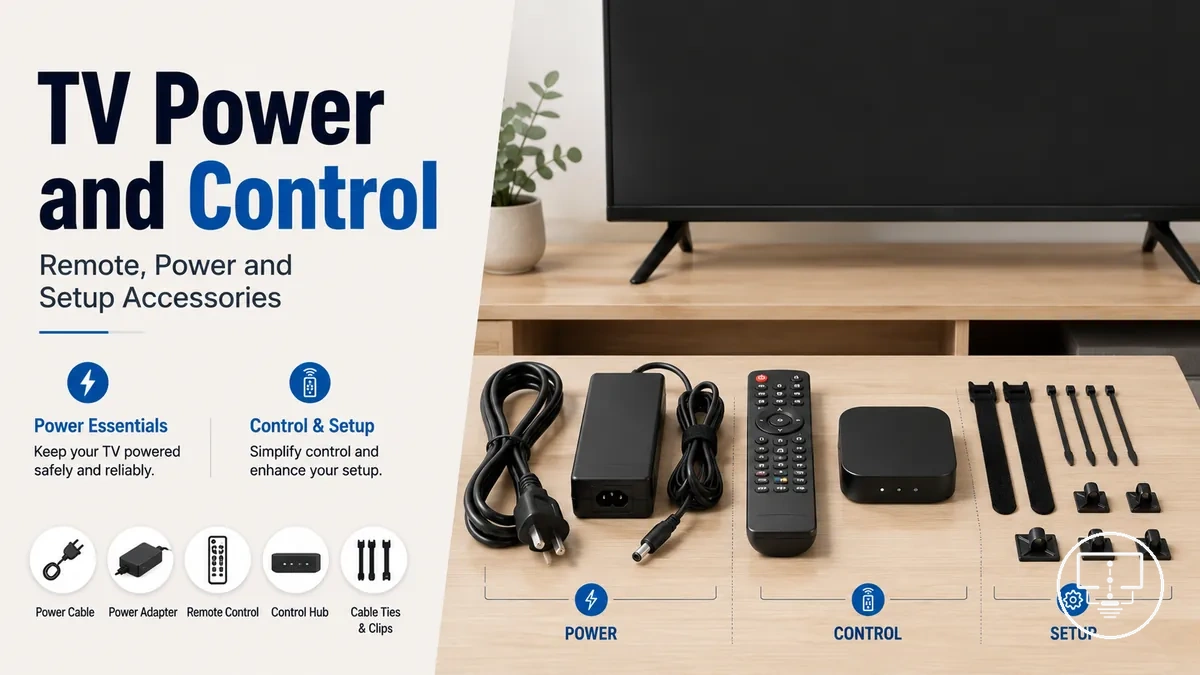
TV power and remote control accessories guide
TV power and remote control accessories are setup accessories that support safe power access, reliable control, compatibility checks, and everyday TV usability. This group includes a power cord, surge protector, universal remote, IR extender, smart TV remote, remote covers, holders, and related remote control accessories as decision-support items rather than product-first choices.
A TV setup may need power support when the outlet position, plug type, TV model, or connected load affects how the television is powered. It may need control support when the remote signal type, device support, line of sight, hidden device position, or room layout affects how the TV and nearby devices respond. These choices sit inside the wider TV setup accessories context, but they are different from AV cables, mounts, and streaming-device accessories because their main job is power access and control reliability.
TV power accessories and TV remote accessories group the items that help the television receive power, respond to commands, and stay easier to use day to day. The next section clarifies what belongs inside this accessory group before the article moves into detailed fit, protection, and control criteria.
What power and remote control accessories include
TV power and remote control accessories are supporting items used to supply power, protect the TV setup, control devices, and organize remotes. Power accessories and remote control accessories share a setup role because they support reliable operation and everyday convenience.
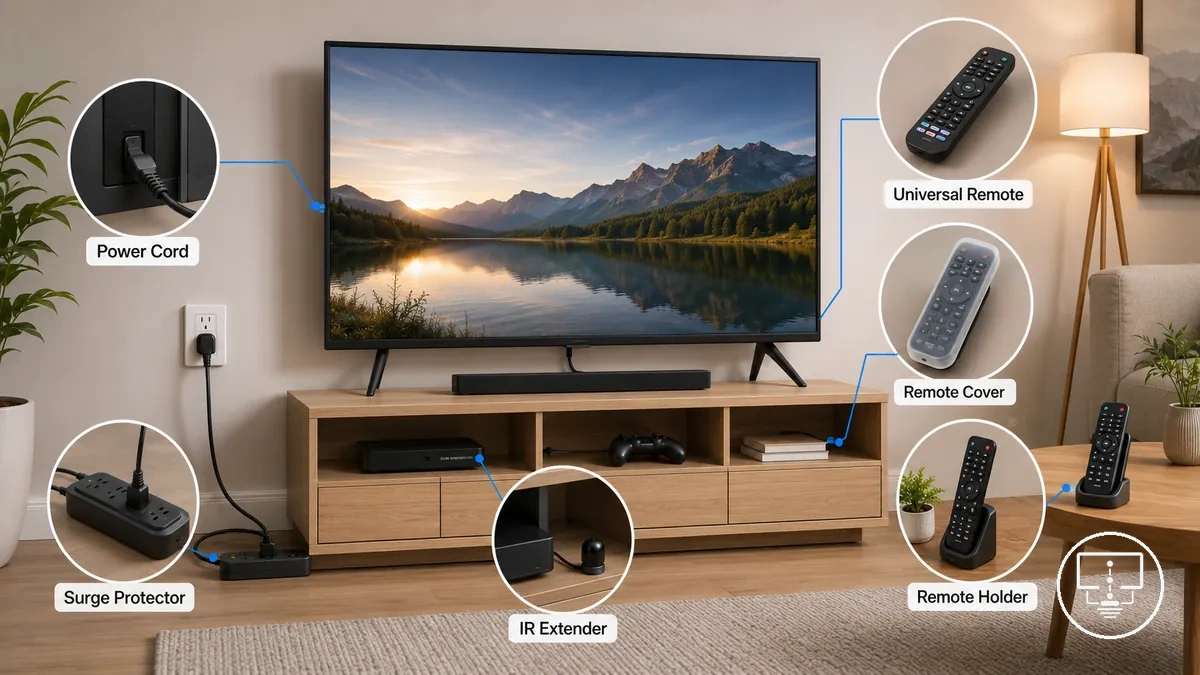
Power accessories and remote control accessories include items with different setup functions, fit conditions, and user outcomes. A specific item may depend on a TV inlet, plug type, signal type, room layout, or device configuration to suit a setup. These items are different from AV connection cables, mounting hardware, and full streaming-device accessories unless those products directly affect power use or device control.
The following categories define the main items included in this group:
- TV power cord — supplies power to the television; fit depends on the TV inlet and plug type; a suitable match supports normal operation.
- Surge protector — adds power protection between the outlet and connected devices; suitability may depend on outlet use and connected load; it can help reduce power-related risk.
- Universal remote — controls compatible devices from one handset; setup depends on signal type and device support; it can simplify everyday control.
- IR extender — relays control signals when a device is hidden or outside direct line of sight; fit depends on the control setup; it can improve access to device controls.
- Remote cover — adds protection to a handheld remote; suitability depends on remote shape and model; it can support easier handling and day-to-day use.
- Remote holder — provides storage for remotes; usefulness depends on room placement and usage habits; it can improve convenience and reduce clutter.
TV power accessories for connection and protection
TV power accessories help connect a television to an available outlet or add a layer of protection when power conditions create additional risk. A power cord, power strip, or surge protector serves a different purpose, which is why TV power accessories matter when planning a reliable setup.
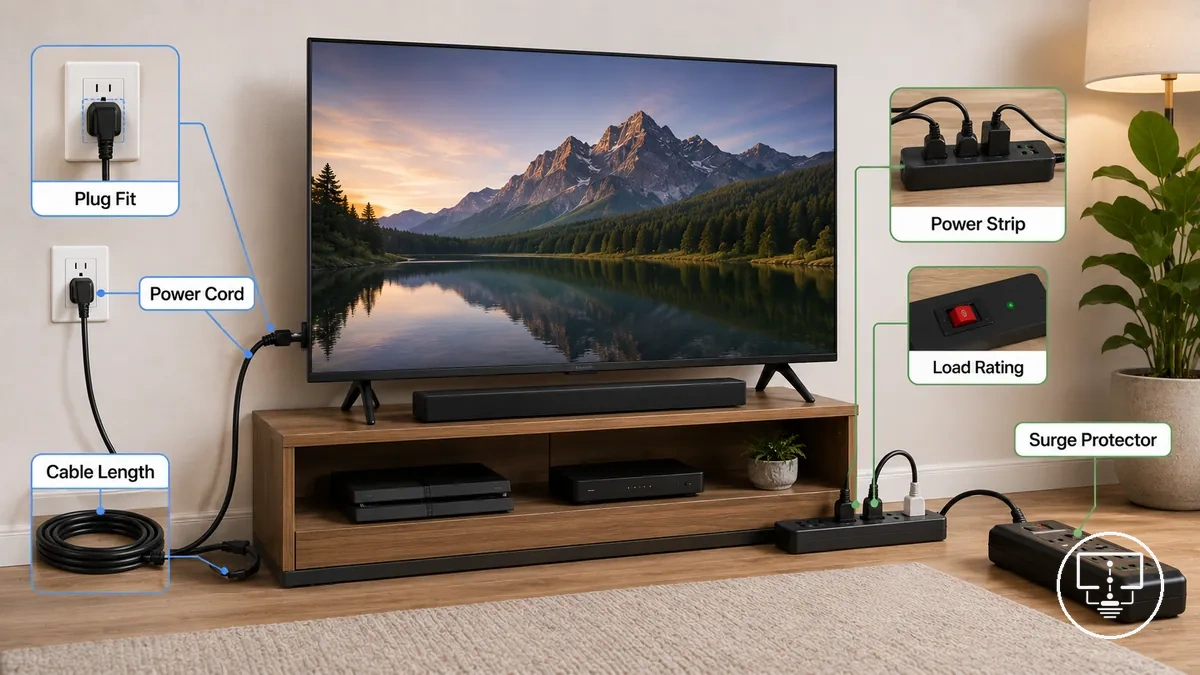
When a nearby outlet is available and the connection matches the TV inlet, plug fit, plug type, and cable length requirements, a power cord may be enough for basic connection. When multiple devices share power access or when protection needs are higher, a power strip or surge protector may be more appropriate depending on outlet availability, load rating, placement, and surge risk. Any protection benefit depends on suitable accessory selection and setup conditions.
TV power accessories can be organized by connection purpose and protection purpose. The table below groups the main attributes, conditions, and potential risks or benefits associated with each option.
| Accessory | Main attribute | Condition to check | Risk or benefit |
|---|---|---|---|
| Power cord | Power connection | TV inlet, plug fit, plug type, rating, and cable length | Supports electricity access when matched to the setup |
| Power strip | Additional outlet capacity | Outlet count, total load, placement, and load rating | Can improve device connection flexibility when used within intended limits |
| Surge protector | Surge protection | Surge rating, outlet use, and protection needs | May help reduce surge-related risk when suitable for the environment |
Power cords and replacement power cables
A replacement TV power cord is relevant when the original cord is missing, damaged, worn, or no longer suitable for the setup. Replacement TV power cord fit depends on the TV inlet, plug type, voltage rating, amperage rating, and cable condition, so suitability remains model-dependent.
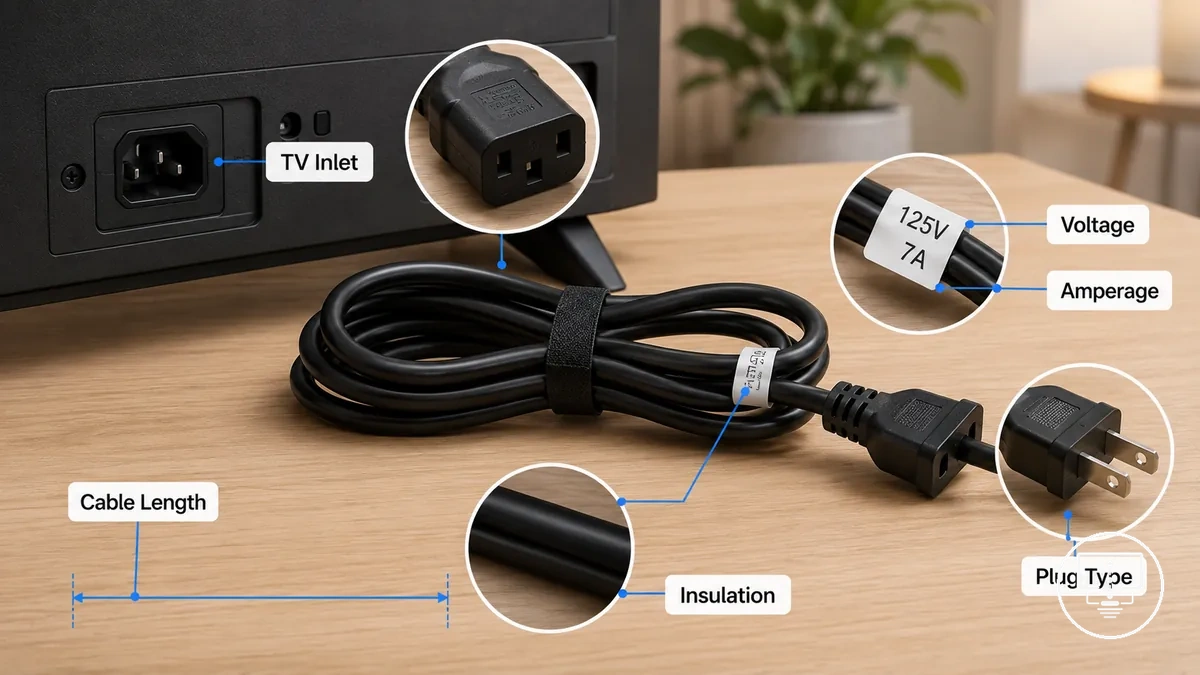
A replacement TV power cord is a power cable used to maintain or restore a TV power connection when the existing lead cannot be used. Connector shape should be checked, but visual fit alone may not confirm suitability because voltage and amperage requirements also matter. Cable length, insulation condition, and manufacturer guidance should be reviewed before use, as shown in the checklist below.
- Confirm that the TV inlet and connector shape match the replacement TV power cord before making a fit decision.
- Check that the plug type suits the available outlet and intended setup location.
- Compare the rating label information, including voltage and amperage, with the TV requirements when available.
- Review cable length to ensure the power cable can reach the outlet without unnecessary strain.
- Inspect insulation for cracks, cuts, wear, or other damage that may affect replacement suitability.
- Follow manufacturer guidance when available, especially when connector shape alone appears to match.
Power strips and surge protectors
A power strip adds outlet capacity, while a surge protector adds surge protection in addition to providing outlets. Power strips and surge protectors are selected based on outlet count, rating, and protection needs, making the distinction between capacity and protection important.
When a TV setup includes multiple connected devices, a power strip may improve convenience through suitable outlet count, plug spacing, and cord length. When surge-event concerns are part of the setup, a surge protector may help reduce surge-related risk if the joule rating, total load, placement, and connected devices align with its intended use. Neither option replaces proper electrical setup, and any protection benefit depends on rating, connected load, and usage conditions.
| Power strip | Surge protector |
|---|---|
| Adds outlet capacity for connected devices | Adds surge protection alongside outlet access |
| Focuses on outlet count, plug spacing, and cord length | Focuses on joule rating, surge risk, and connected equipment |
| Total load should remain within the accessory rating | Protection value depends on rating, total load, and placement |
| Useful when additional connection points are needed | May help reduce surge-related risk under suitable conditions |
Remote controls and replacement remote options
Remote control selection depends on device support, signal type, setup method, and the functions that need to be controlled. A replacement remote may be practical when the original remote is lost or damaged, while a universal remote may help simplify control across multiple devices. Smart remote and app control options provide different control methods, making remote choice dependent on signal type, required features, and button layout.
When a remote has been lost, a replacement remote may preserve a familiar button layout and function set if device support matches the intended equipment. When multiple devices need to be managed from one control device, a universal remote may reduce the number of remotes in use, although setup can depend on brand support, codes, and signal compatibility. Hidden-device control situations may also depend on whether the setup uses IR, Bluetooth, or Wi-Fi, and on available device support.
Remote control options differ by control method, setup requirements, and supported features. The table below compares common options using control method, compatibility check, and best-fit situation as the main decision attributes.
| Option | Control method | Compatibility check | Best-fit situation |
|---|---|---|---|
| Original remote | IR, Bluetooth, or device-specific control | Model support and button layout | Replacing a lost or damaged remote with similar functions |
| Universal remote | Usually IR with codes or setup procedures | Brand support, codes, and required buttons | Simplifying control across multiple compatible devices |
| Smart remote | Bluetooth, Wi-Fi, or paired-device control | Pairing method, platform support, and voice control features | Accessing supported smart-TV functions through one remote option |
| App control | App-based control over Wi-Fi | Account access, permissions, and device support | Using a phone or tablet as an additional control option |
Universal TV remotes
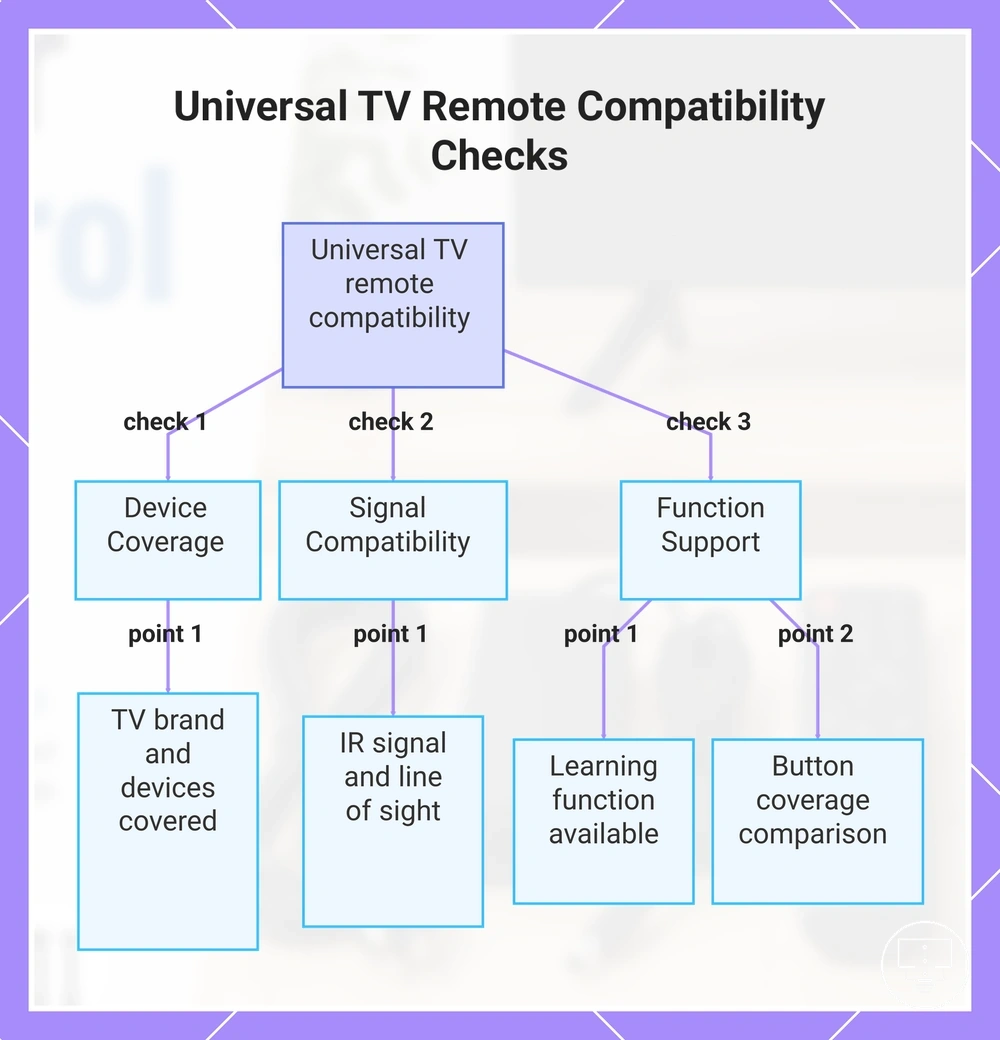
Universal TV remote compatibility depends on supported devices, signal type, and setup requirements. A universal TV remote can help control one or more devices when the original remote is unavailable, but usefulness depends on supported devices, brand codes, learning function support, and IR signal compatibility.
When a replacement remote is needed or when a multi-device remote is used to simplify control, setup success may depend on brand codes, the setup method, and device support. Streaming-device control, input control, and volume control may work differently across supported devices, while a learning function may help with button mapping in certain cases. Button coverage can still vary, so not every function available on the original remote may be present on a programmable remote.
The following checks help qualify compatibility before relying on a universal TV remote:
- Verify that the TV brand, soundbar, and other supported devices are covered by the available brand codes and setup method.
- Check whether a learning function is available when button mapping from the original remote may be needed.
- Confirm that the device uses a compatible IR signal and that line of sight to the device sensor is available when required.
- Review input control and volume control support because available functions may vary between supported devices.
- Compare button coverage with the required functions, especially when streaming-device features or smart-TV functions are important.
This chart shows the key checks to qualify universal TV remote compatibility before purchase or use.
Smart TV remotes and app-based controls
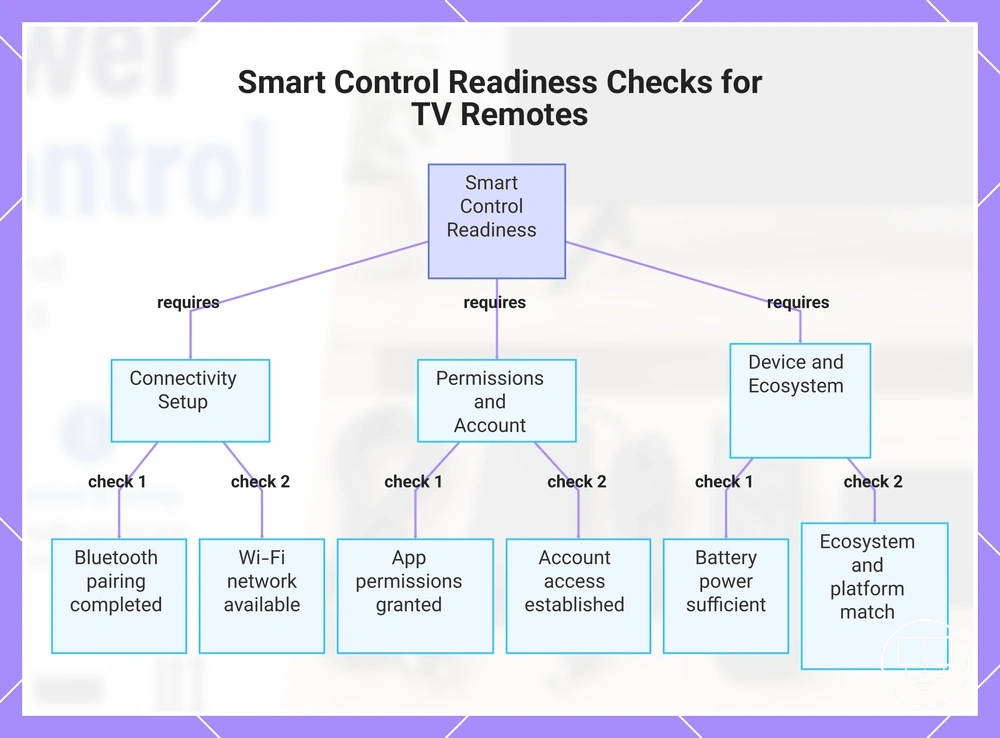
Smart TV remote and app-based control compatibility depends on platform support, pairing method, and network conditions. Smart control can use Bluetooth, Wi-Fi, voice control features, and app support, but functionality remains dependent on pairing, account access, and the device ecosystem.
When a smart TV remote or phone remote app is used, pairing status, app permissions, and network access can affect control response. Voice control may depend on platform features, while phone compatibility and account access requirements can vary by ecosystem. App-based control can complement physical controls, but a physical remote may still be needed for certain functions or setup situations.
The following checks help confirm smart control readiness:
- Verify that Bluetooth pairing or the required connection method is completed so the smart TV remote can communicate with the device.
- Confirm that Wi-Fi access is available when app-based control depends on network communication.
- Check app permissions and account access requirements if a phone remote app is being used.
- Review battery condition because low power may affect pairing, response, or smart control reliability.
- Confirm that the device ecosystem and platform support match the intended control features.
These control accessories focus on remote interaction and should be distinguished from broader smart TV setup accessories, which cover wider streaming and platform-access considerations.
This chart shows the key checks needed to ensure smart control readiness for TV remotes and app-based controls, including connectivity, permissions, and device requirements.
Remote covers, holders and everyday protection accessories
Remote covers, holders, and storage accessories are designed to improve handling, organization, and everyday protection for TV remotes. A remote cover, sleeve, or remote holder can support protection and convenience, but value depends on material, fit, grip, visibility, and storage placement.
When remotes are frequently misplaced, dropped, exposed to children or pets, or shared across multiple rooms, storage and handling accessories may help keep controls easier to find and manage. A silicone remote cover may improve grip and help reduce wear from everyday use, while a caddy, wall holder, or organizer can provide a consistent storage location for multiple controllers. The usefulness of these accessories depends on remote size, button access, visibility, and placement criteria.
Different accessories support different handling and storage needs. The table below organizes the main attributes, fit conditions, and situations where each option may be useful.
| Accessory | Attribute | Fit condition | Useful when |
|---|---|---|---|
| Remote cover | Protection and grip | Fit should allow normal button access and comfortable handling | Remotes are often dropped or handled frequently |
| Silicone sleeve | Grip, visibility, and surface protection | Material and shape should match the remote size | Improved grip or easier remote finding may help daily use |
| Lanyard | Carrying convenience | Attachment method should suit the remote design | Remotes are frequently moved between locations |
| Remote holder or wall holder | Storage and visibility | Placement should remain easy to reach and easy to see | Households often lose remotes or use multiple controllers |
| Caddy or organizer | Multi-remote storage | Capacity should suit the number and size of controllers | Several remotes need a consistent storage location |
Remote control covers and sleeves
Remote control covers and sleeves can improve grip, visibility, and everyday handling while adding a layer of physical protection. A remote control cover or sleeve works best when its fit matches the remote shape, button layout, and intended use.
A remote control cover is a protective layer that surrounds the remote without blocking normal operation. Silicone materials may improve grip and comfort, while a protective sleeve or remote skin may make the remote easier to identify through higher visibility colors. Button access, battery door access, material thickness, and IR window exposure should remain usable because cover fit can affect operation if openings do not align correctly.
The following checks help evaluate cover fit and usability:
- Cover fit should match the remote shape so button access remains clear and comfortable.
- Silicone thickness may affect button feel, grip, and handling comfort during daily use.
- The IR window should remain exposed because sensor exposure can affect signal response if obstructed.
- The battery door should stay accessible so battery replacement does not require removing the cover unnecessarily.
- High-visibility colors may make a lost remote easier to find, while removable covers can simplify cleaning.